Gate Ready: SWMS for Tradies
SWMS made easy. Built for your job, not just ticked off a list.
Pick your task. Gate Ready suggests the hazards and controls. Add your site plan and photos. Your crew signs on their phones. Your first SWMS is free.


Now available on Google Play. Coming soon to the App Store. Built for patchy reception.
Gate Ready is a drafting tool. It doesn't certify or check compliance, and you review every SWMS.
Why not just use a template?
A template is a good start. Gate Ready finishes the job.
Where you start
Template: Find the right document in a pack
Gate Ready: Describe the job or pick a task. Gate Ready suggests hazards and controls
Your state
Template: Choose the right state version before you buy
Gate Ready: Your state is set from the job address
Fitting it to your site
Template: Edit in Word. Delete what doesn't apply
Gate Ready: Tick the controls that fit. Add your own
Site plan and photos
Template: Kept separate from the document
Gate Ready: Marked up on your phone and printed in the same PDF
Crew sign-on
Template: Print, sign and scan
Gate Ready: Crew sign with a finger
On site
Template: Needs Word, usually on a laptop
Gate Ready: Keeps working on your phone when reception drops
Cost
Template: Pay up front for each pack
Gate Ready: First SWMS free. Then a one-month free trial. Cancel any time
How does Gate Ready work?
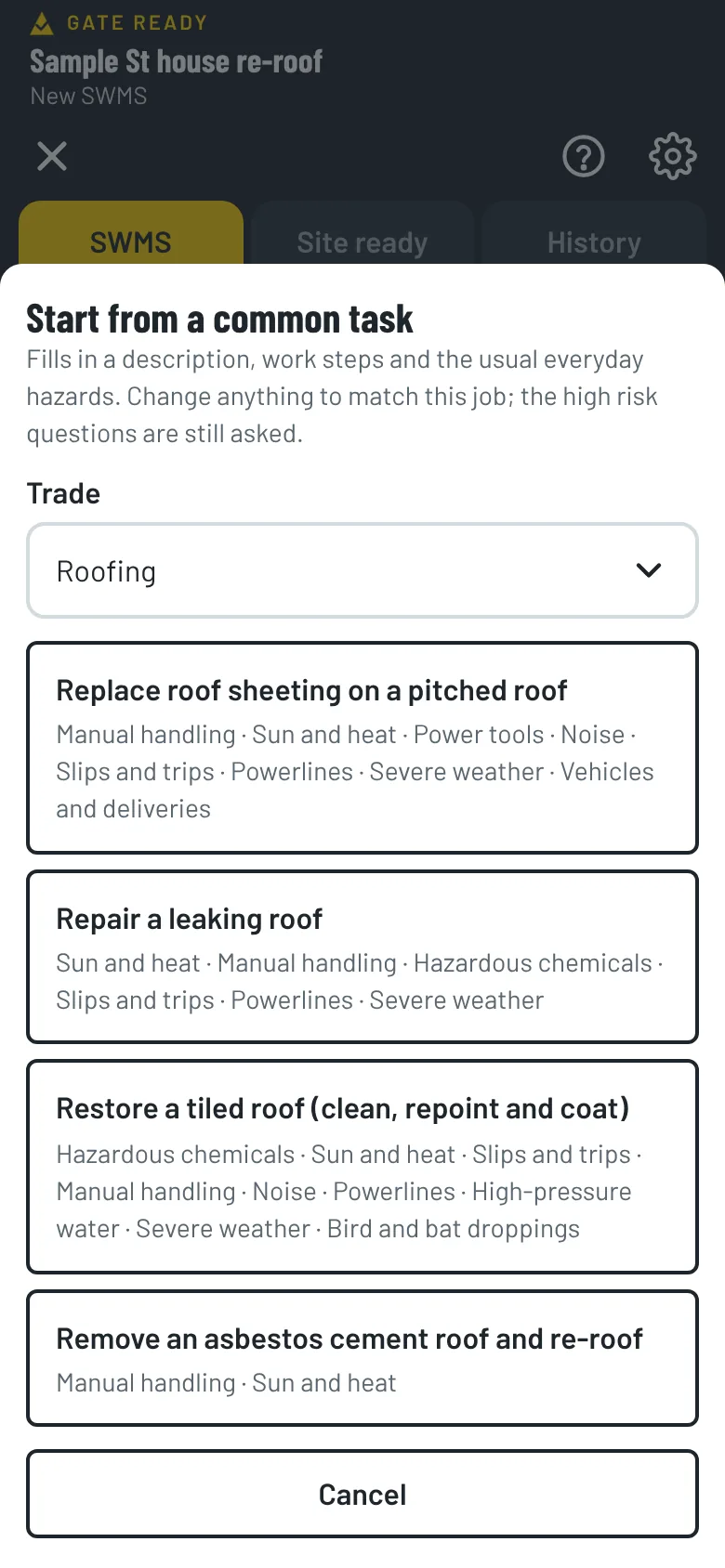
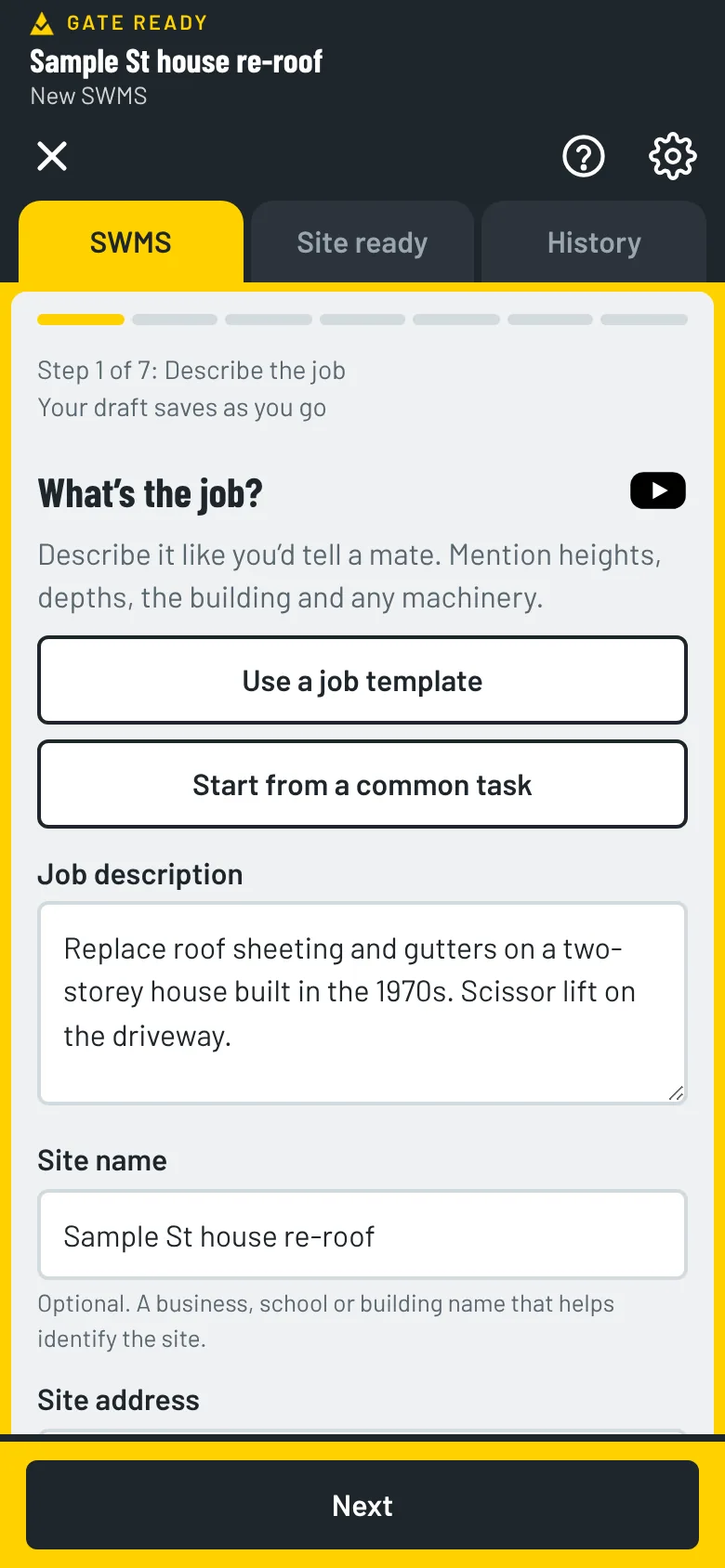
1. Pick a task or describe the job
Common tasks match the trades you choose, so you see jobs like yours first. Or type the job in plain English, or use your own template. Gate Ready suggests hazards and controls.
2. Check it and add photos
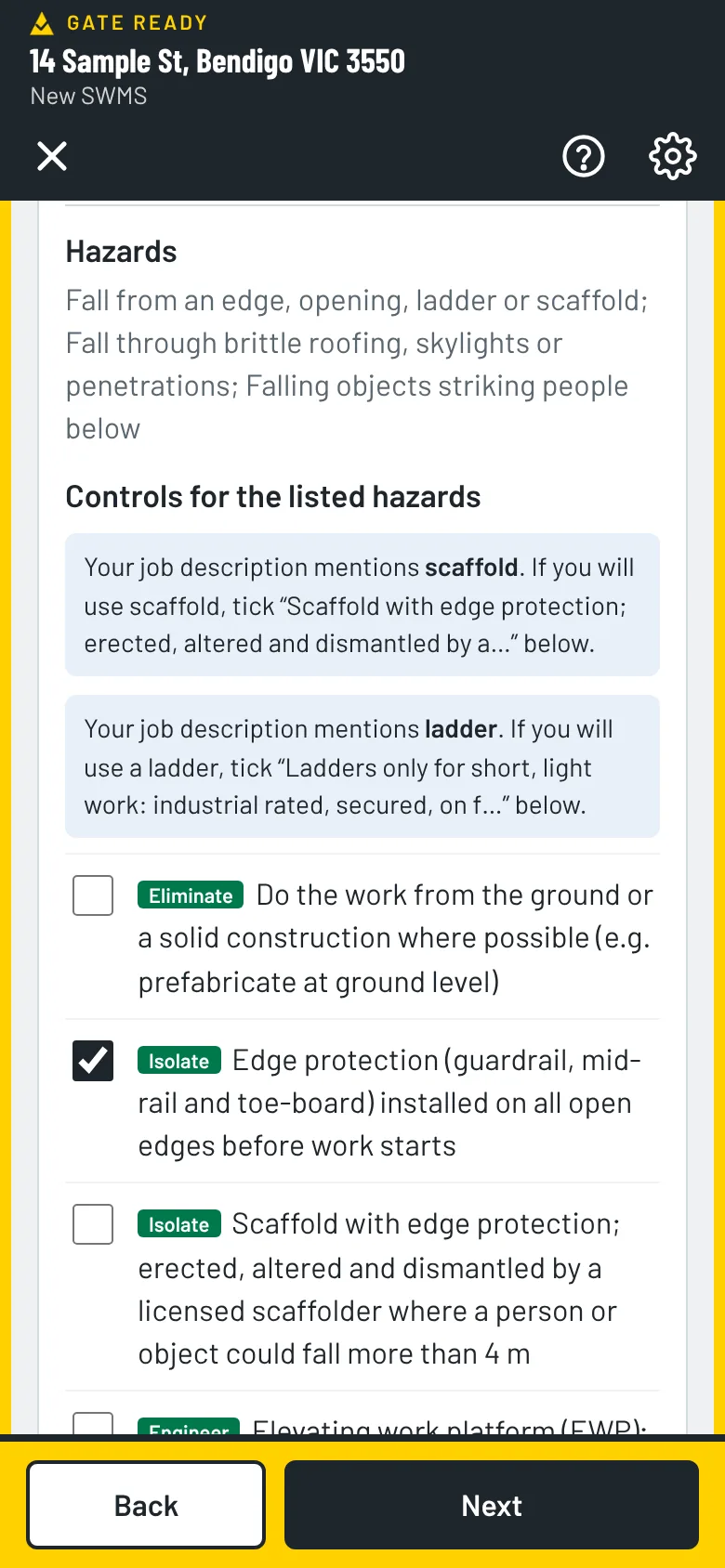
Tick the controls that fit your job. Some are tagged Good practice, which means the law doesn’t require them, so keep only what you will really do. Add a site plan and photos if they help.
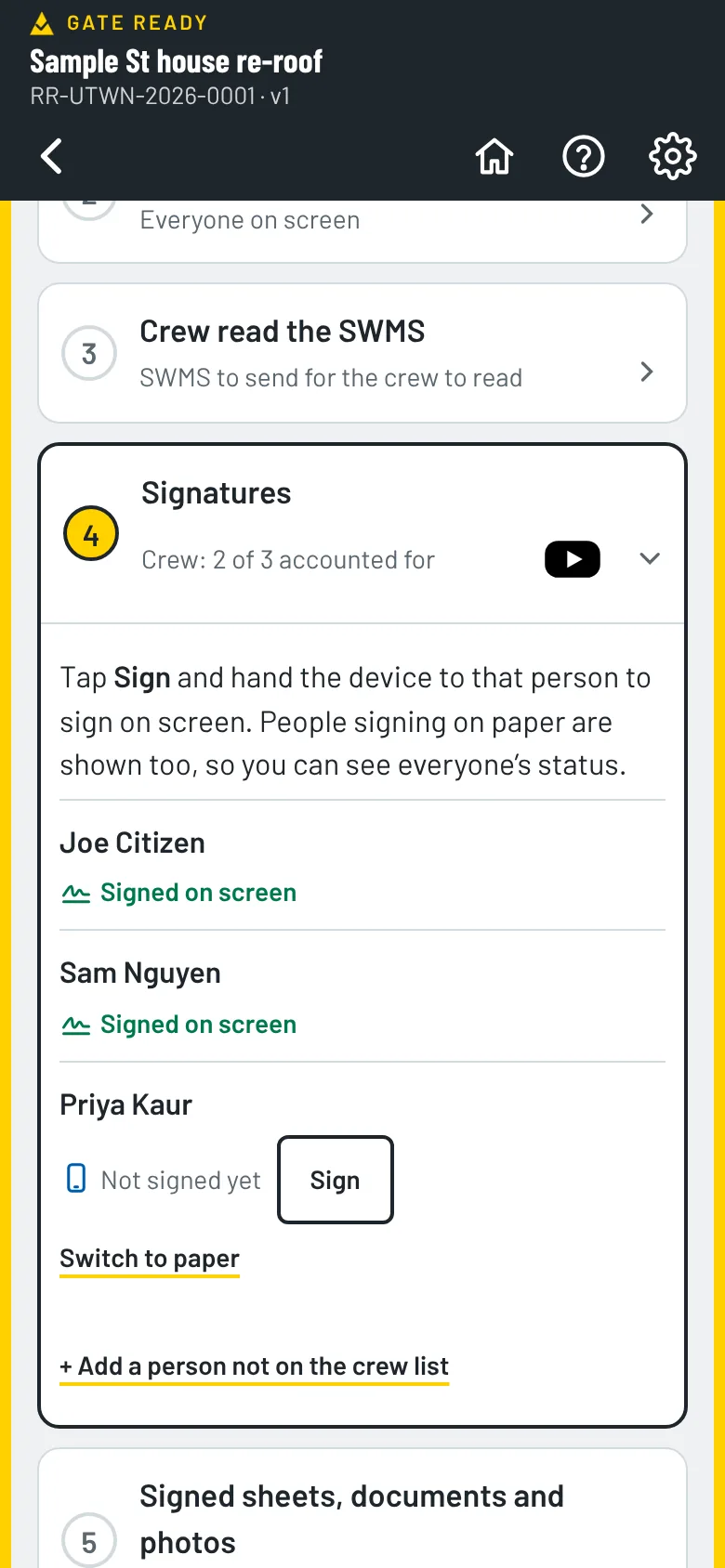
3. Sign on and share
Before you issue the SWMS, Gate Ready asks you to keep or remove each good practice control. Then your crew signs with a finger, and you save or send the PDF.
Can I mark up my own site photos?
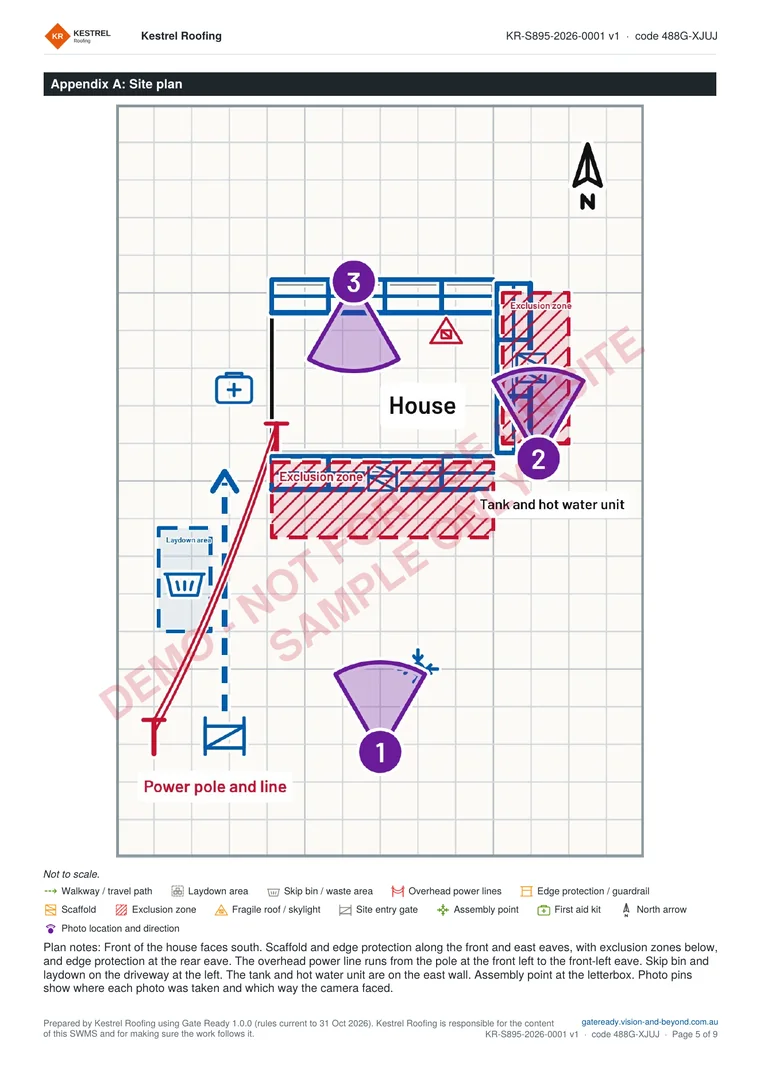
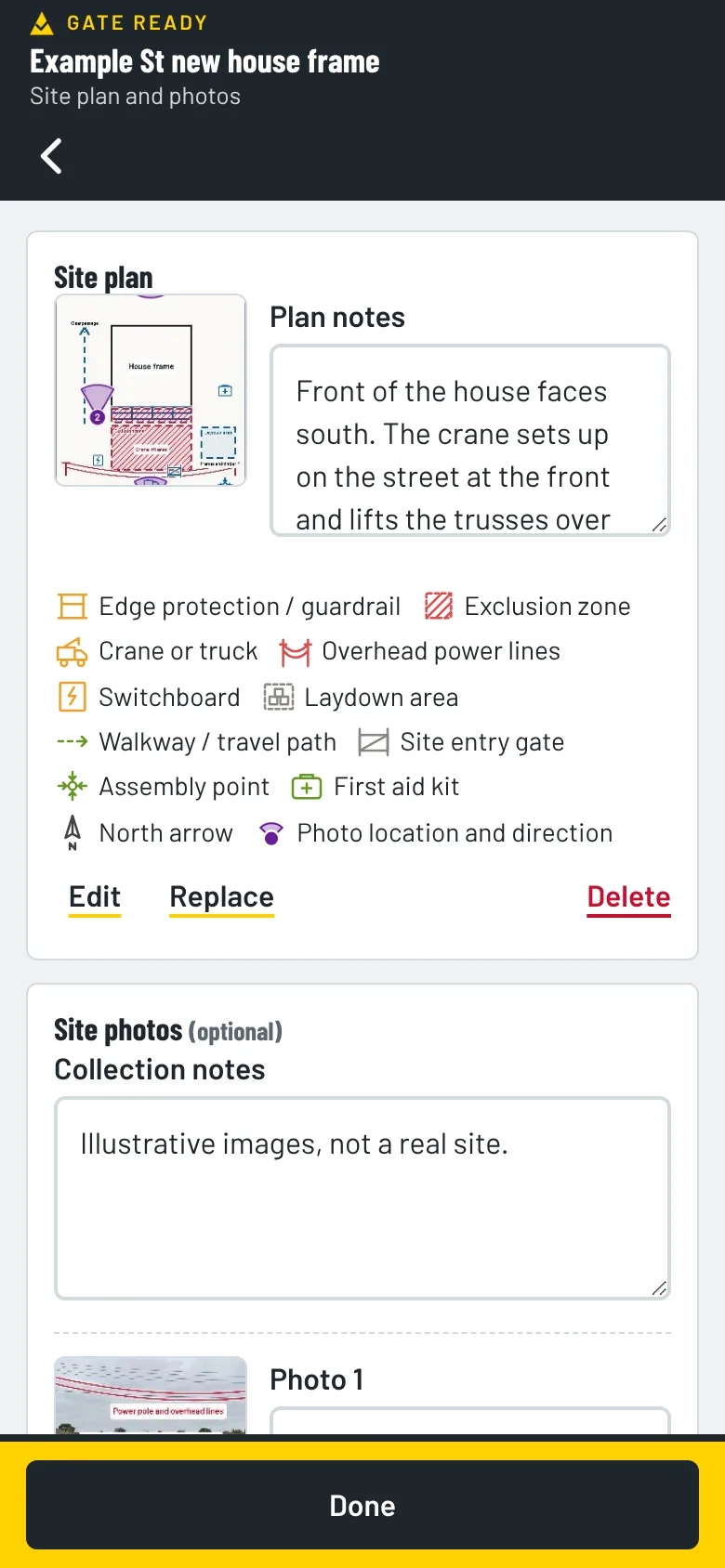
Yes. Take a photo, then add symbols for scaffolds, anchor points, exclusion zones and more. Pin each photo to a site plan so everyone knows where it was taken. They print with your SWMS.
Photos stay on your phone. We can't see them.
Why do tradies use it?
- Made for poor reception. Draft, add photos and sign on when the signal drops. Sending a copy needs a connection.
- Your data stays on your phone. We don't keep your signed SWMS.
- Set for your state. Gate Ready uses your job address to pick your state.
- Help built in. Short step-by-step walkthroughs show you each screen, right in the app.
- More than 70 trades. Roofers to sparkies. See the list.
How much does it cost?
Your first SWMS is free. Then you get a one-month free trial. After that it's $24.99 a month, GST included.
The App Store or Google Play bills you. You can cancel any time in your store account. Try the sample jobs first. They don't use your free SWMS.
What does a finished SWMS look like?
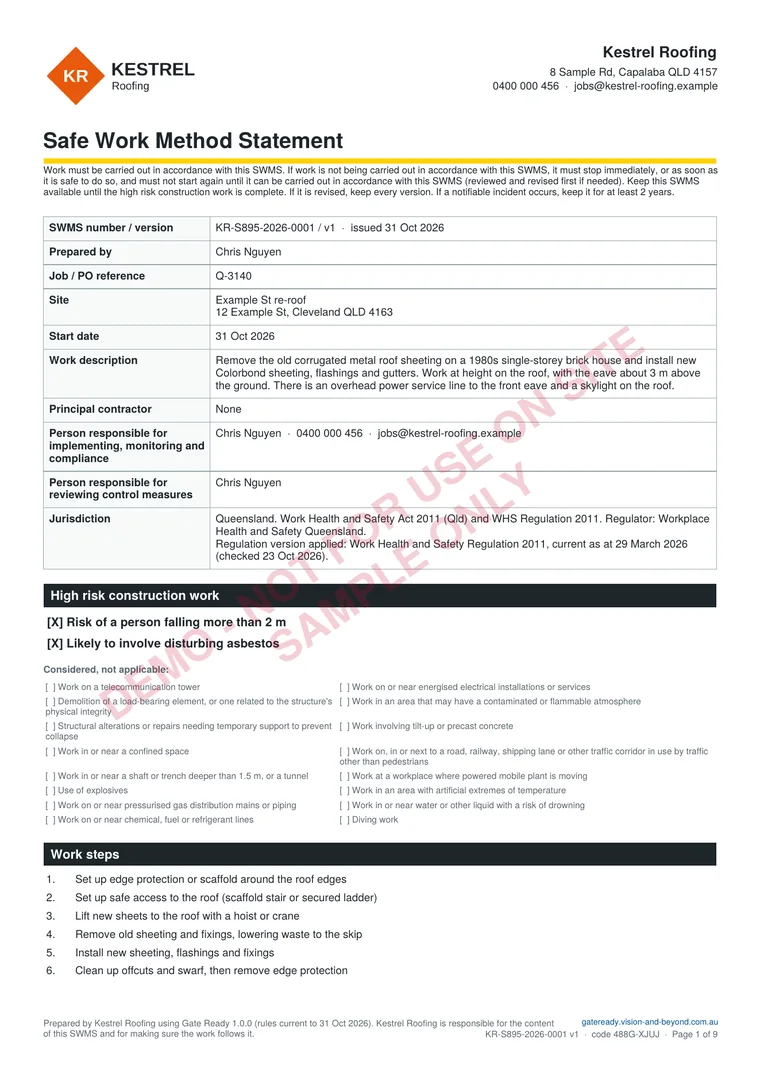
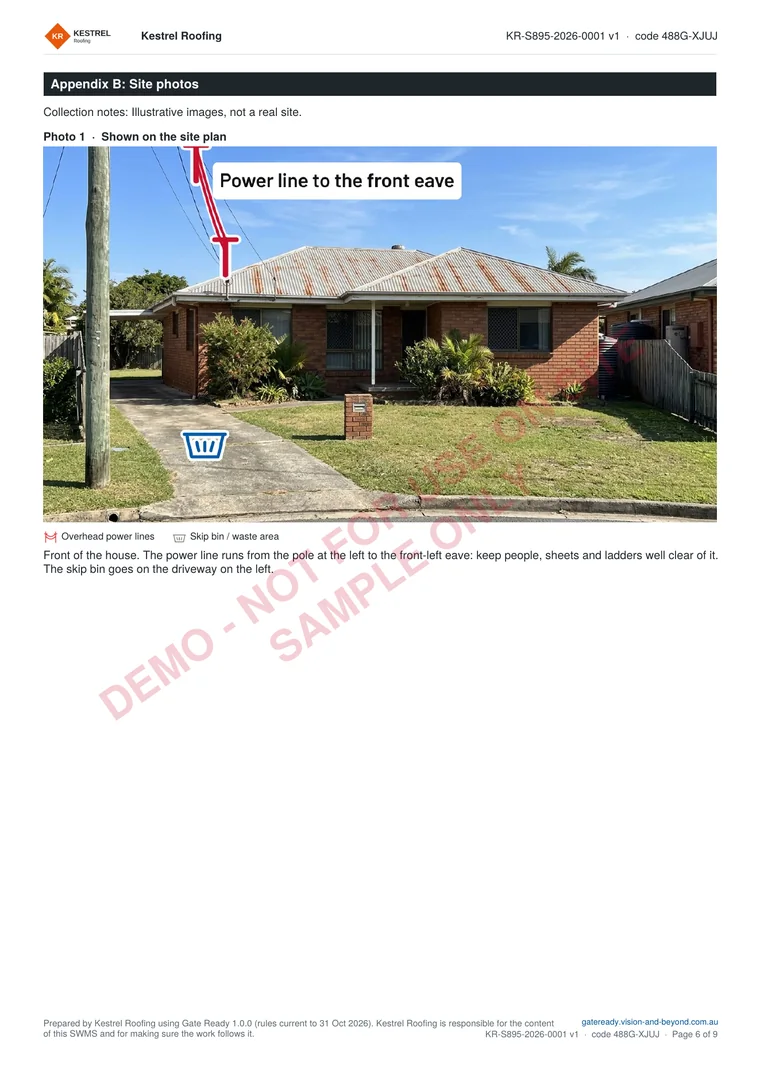
Here is a sample for replacing roof sheeting on a house in Queensland. It has a site plan and marked-up site photos at the back. It is for a fictional business and not for use on site.
Common questions
What is Gate Ready?
Gate Ready is a phone app that helps Australian tradies draft a Safe Work Method Statement (SWMS) and get their crew to sign on. It is a drafting tool. It doesn't decide what the law requires of you.
Can I see a sample SWMS for my trade?
Yes. We have a sample SWMS, with a site plan and marked-up photos, for Electricians, Roofers, Plumbers, Carpenters, Builders, Concreters, Painters and Tilers. Each page also shows the controls and tasks Gate Ready suggests for that trade. More trades are coming.
How does Gate Ready help me with my SWMS?
Gate Ready helps you write a Safe Work Method Statement (SWMS) and collect worker sign-on. It suggests hazards, controls and PPE for the job, and you check each one and add your own. It doesn’t check that your SWMS meets the law or a site’s rules, and it doesn’t replace advice from your regulator or a safety professional. You are responsible for your SWMS and for making sure the work is done the way it says.
Does it work without a signal?
Gate Ready is built for patchy reception. You can draft, sign on and export without a signal. It checks your subscription when it is online. If it can't check for 14 days, you can keep working on SWMS you have already started, but you can't start a new one until it reconnects. Sending a SWMS by text or email needs a connection, like any message.
Can I add photos to a SWMS?
Yes. Add a site plan and photos, mark them up with safety symbols, and they print with your SWMS. They stay on your phone. Photos work in the installed app, but not in the sample jobs.
What does it cost?
Your first SWMS is free. Then you get a one-month free trial. After that it's $24.99 a month, GST included. The App Store or Google Play bills you, and you can cancel any time in your store account.
Get Gate Ready: SWMS for Tradies
Now available on Google Play. Coming soon to the App Store. Your first SWMS is free.