Home / Trades / Concreters

Gate Ready for concreters

Write your concreting SWMS on your phone.

Start from a job you do every week, check the pump, starter bar and silica controls, add photos of the site and get your crew to sign. Your first SWMS is free.

  • Suggested controls for concrete pumps and protruding bars
  • Silica dust controls ready to check for cutting and grinding
  • Draft, sign on and save your PDF when the signal drops

Open the sample PDF (9 pages)

Download on the App StoreGet it on Google Play

Coming soon to the App Store and Google Play. Built for patchy reception.

Gate Ready is a drafting tool. It doesn't certify or check compliance, and you review every SWMS.


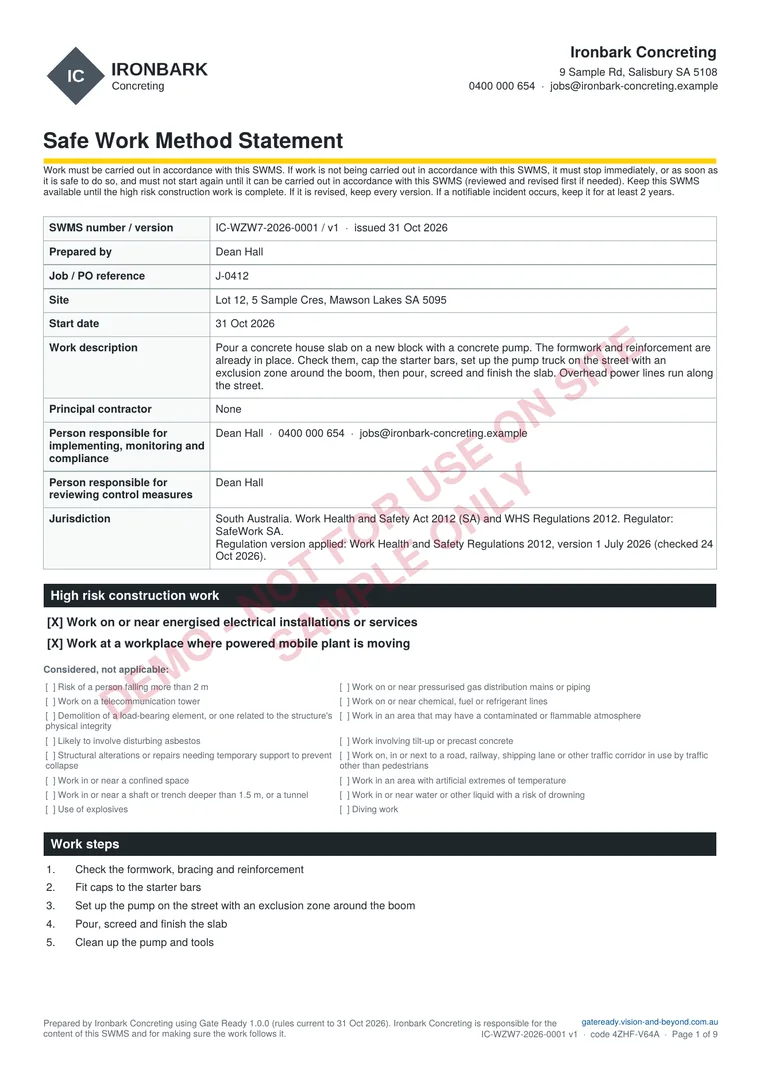
First page of a sample Gate Ready SWMS PDF for pouring a house slab with a concrete pump in South Australia

Sample SWMS, page 1 of 9

Plan, photos and sign-on, all in one PDF

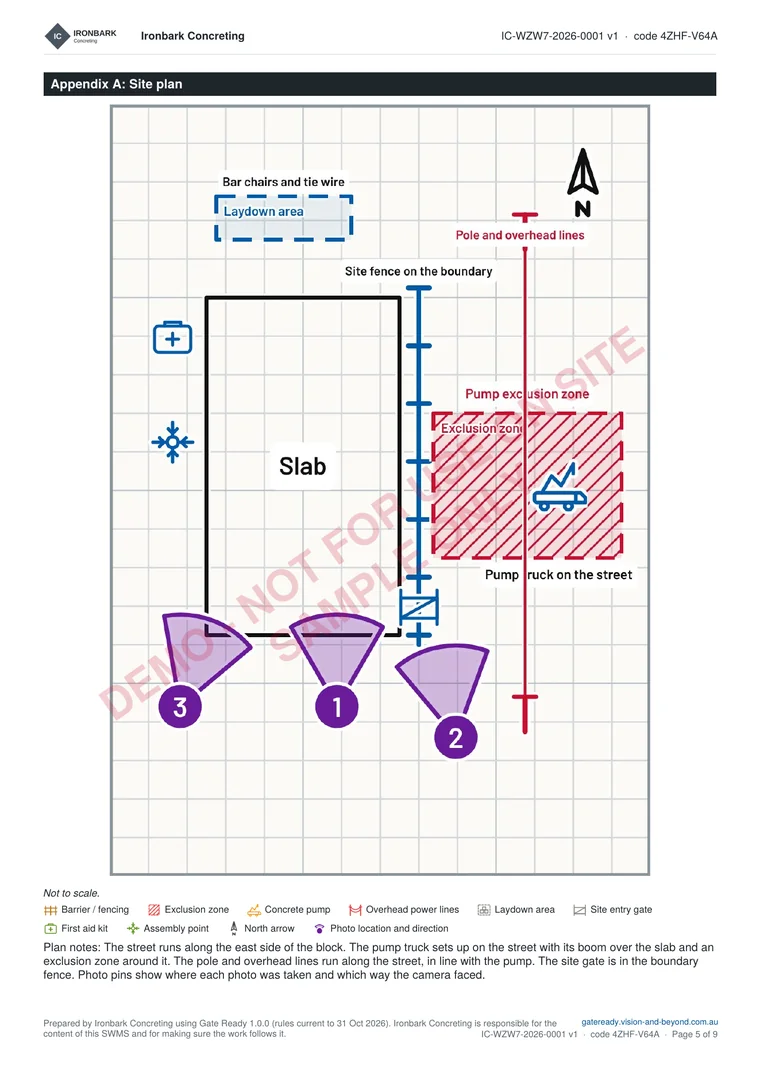
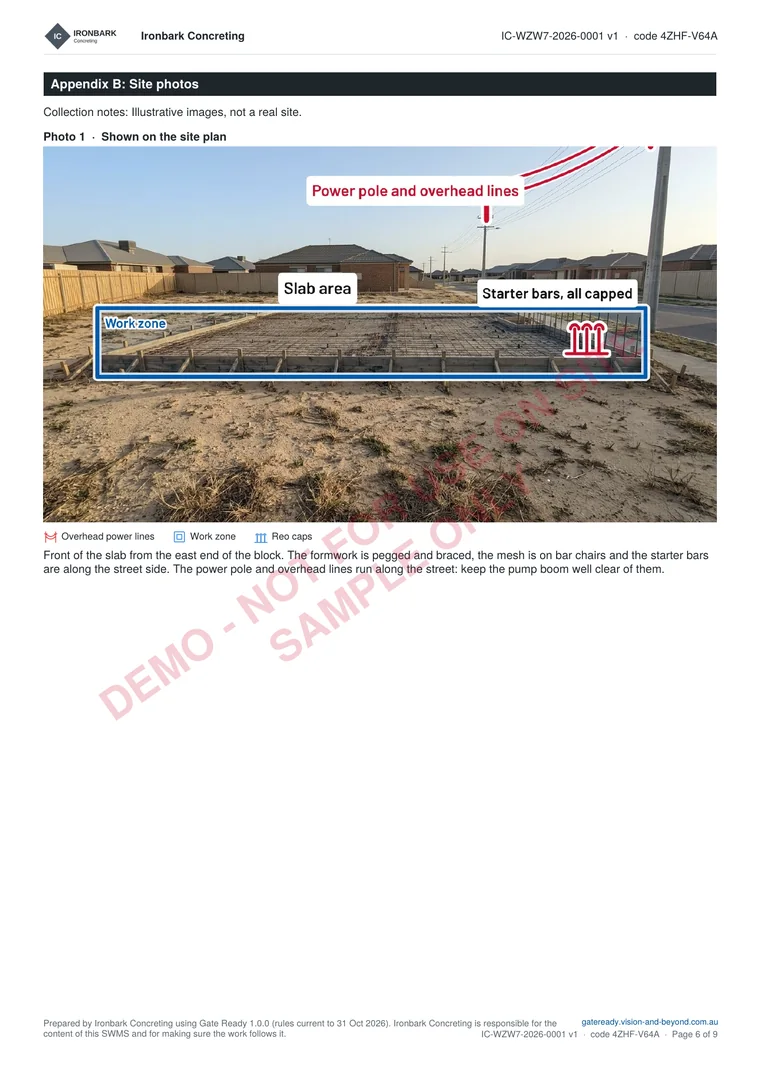
Page 1 is above. Here are the site plan and a marked-up photo page. The sample is for pouring a house slab with a concrete pump in South Australia, with the formwork and reinforcement already in place. It is for a fictional business and not for use on site. The photos are illustrations.

Open the sample PDF (9 pages) or see more samples

Appendix A of the sample SWMS: a site plan with a formed slab, a boundary fence, a pump exclusion zone on the street, a power pole with overhead lines and three numbered photo pinsAppendix B of the sample SWMS: a marked-up photo of a formed-up house slab with the overhead lines, the slab area and capped starter bars labelled

Start from a job you actually do

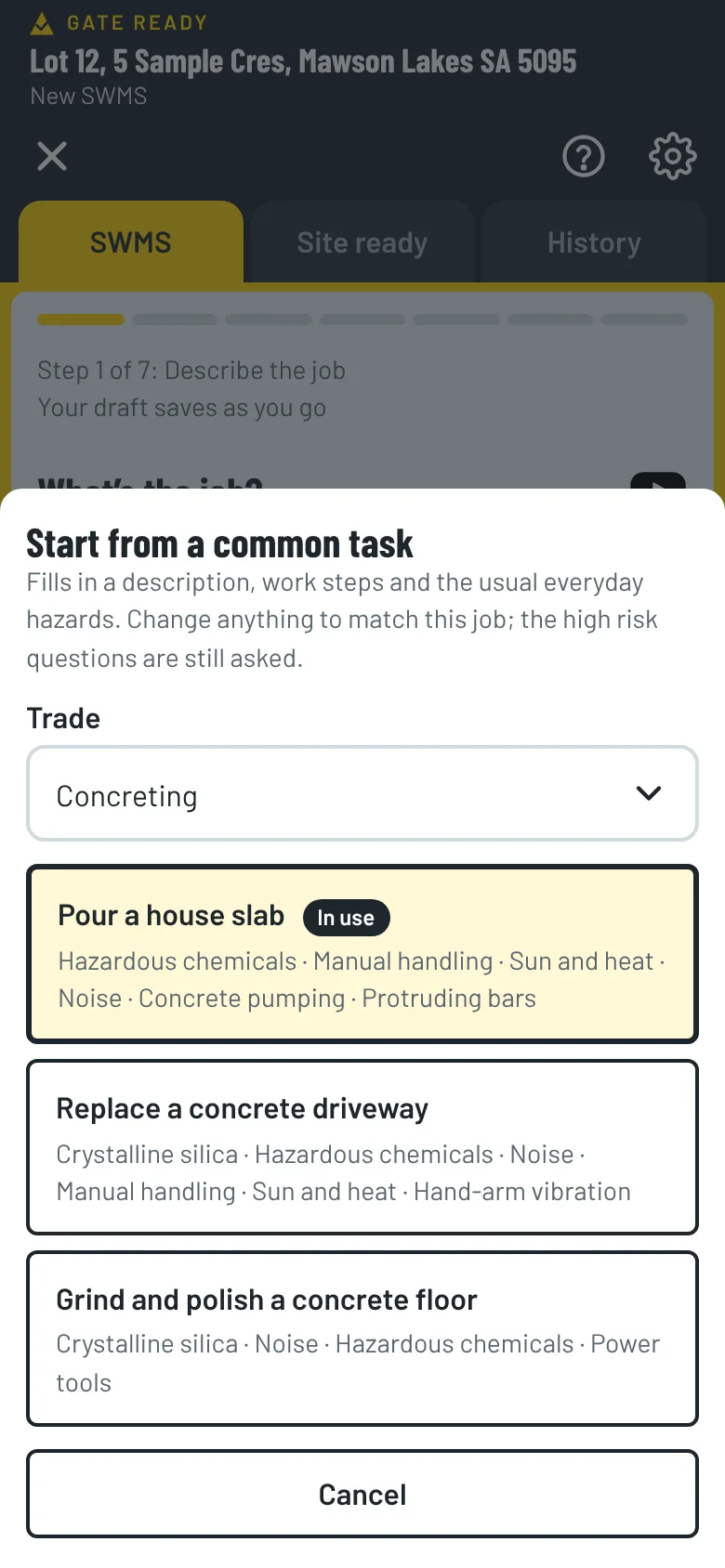
Pick Concreting when you set up the app and the common tasks match your work. Each one comes with the steps and hazards already suggested. You check and change them.

Pour a house slab

Pour a concrete house slab with a concrete pump, including the footing excavation.

  1. Locate underground services before digging
  2. Excavate the footings
  3. Check the formwork and reinforcement
  4. Set up the pump with an exclusion zone around the boom
  5. Pour, screed and finish the slab

Replace a concrete driveway

Break out an old concrete driveway and pour a new one, cutting the concrete with a demo saw next to the footpath.

  1. Set up barriers and pedestrian control on the footpath
  2. Cut the concrete with water suppression
  3. Break out and remove the old concrete
  4. Set up forms and reinforcement
  5. Pour and finish the new driveway

Grind and polish a concrete floor

Grind and polish an existing concrete floor with a ride-on grinder.

  1. Connect the grinder to an H-class vacuum, or use wet grinding
  2. Keep others out of the area while grinding
  3. Grind and polish in passes
  4. Apply the sealer with good ventilation
  5. Clean up with a vacuum or wet methods

Do formwork, paving or steel fixing too?

Pick every trade you do when you set up. Common tasks, hazards and ticket suggestions for each one show up together.

  • Formwork
  • Steel fixing
  • Concrete cutting and drilling
  • Paving
  • Retaining walls

Concreting hazards and controls, ready to check

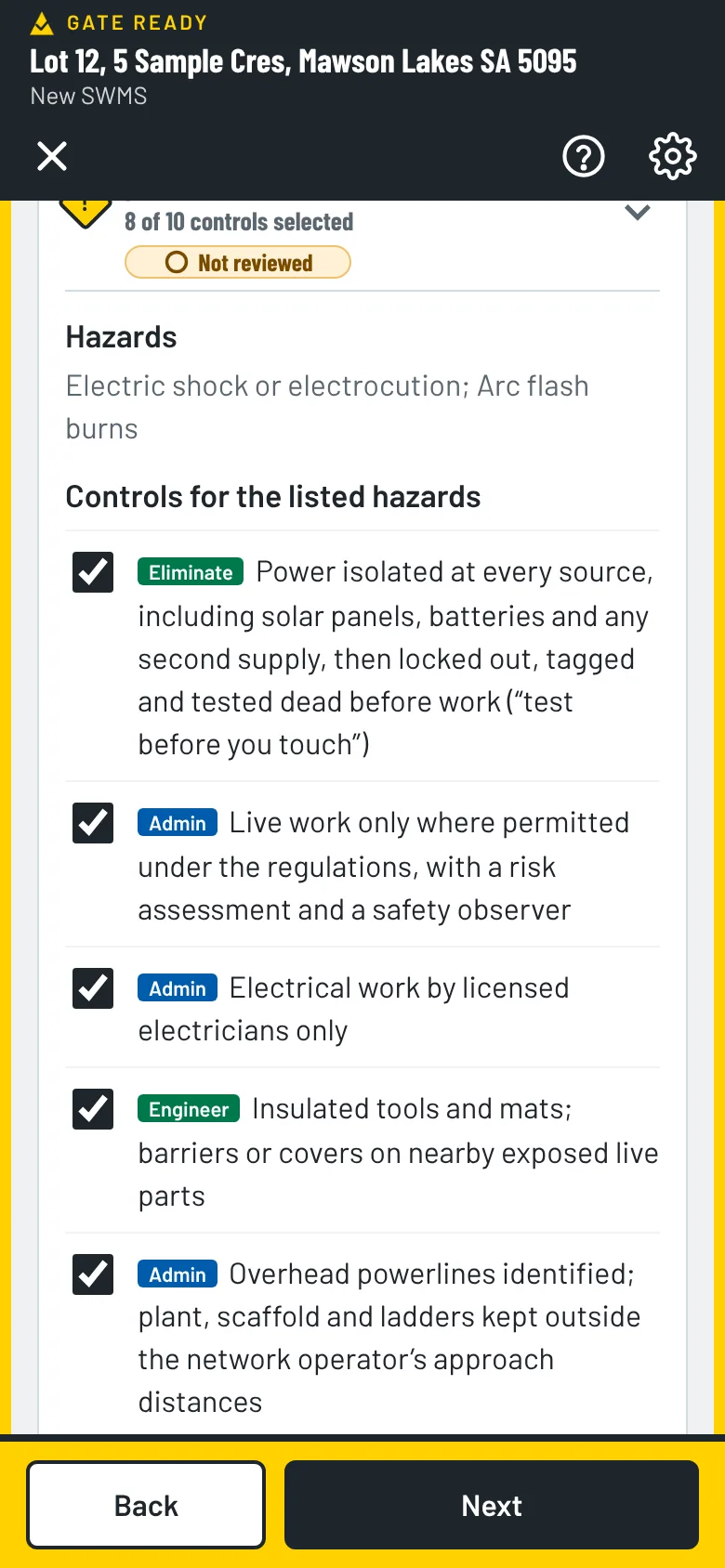
When the job involves a pump, reinforcement or cutting concrete, Gate Ready adds the hazards (the pump boom and hose, protruding bars and silica dust) and controls like these. Each one shows its type.

  • IsolateExclusion zone around the pump, boom and delivery hose for everyone not in the pour
  • EngineerPump set up on suitable ground with the outriggers fully out
  • EngineerCaps fitted to protruding starter bars and star pickets when they are installed, and kept on while work goes on
  • EngineerWater suppression or on-tool dust extraction to an H-class vacuum whenever concrete is cut, ground or drilled
  • AdminBoom kept outside the powerline approach distances
  • AdminClean-up by H-class vacuum or wet methods, with no dry sweeping or compressed air
  • PPEP2 respirator (fit-tested) at minimum for silica work

Sun and heat, hazardous chemicals such as wet concrete, noise and manual handling controls are in the list too. You choose the ones that fit your job. Some states have extra rules for silica work, so check your regulator. Gate Ready suggests, you review.

Gate Ready hazards and controls screen with a list of controls to tick

Cutting or grinding concrete? Think silica dust.

Cutting, grinding or drilling concrete makes crystalline silica dust, which can cause silicosis and lung cancer years later. Gate Ready suggests silica controls and reminds you to check whether your job is high risk silica work, which needs a written silica risk control plan. Check your regulator.

Photograph the formwork, the reinforcement and the street

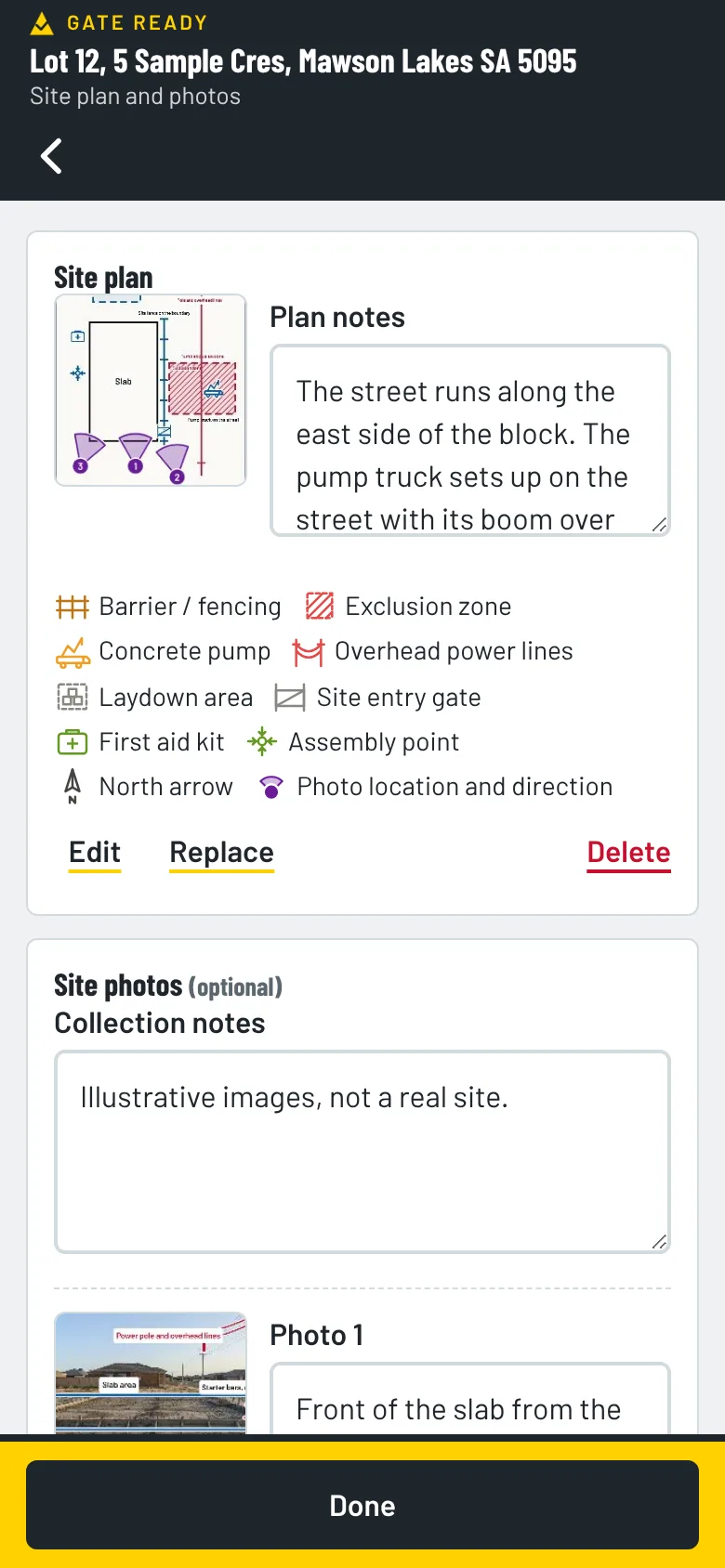
Take photos of the front, the street and the reinforcement before you pour. Mark up the exclusion zone, the power lines, the pump position and the starter bars, and pin each photo to a site plan. They print with your SWMS. Photos stay on your phone. We can’t see them.

See all the features

Gate Ready site plan with three numbered photo pins and a list of the symbols used

Keep your licences and tickets in one place

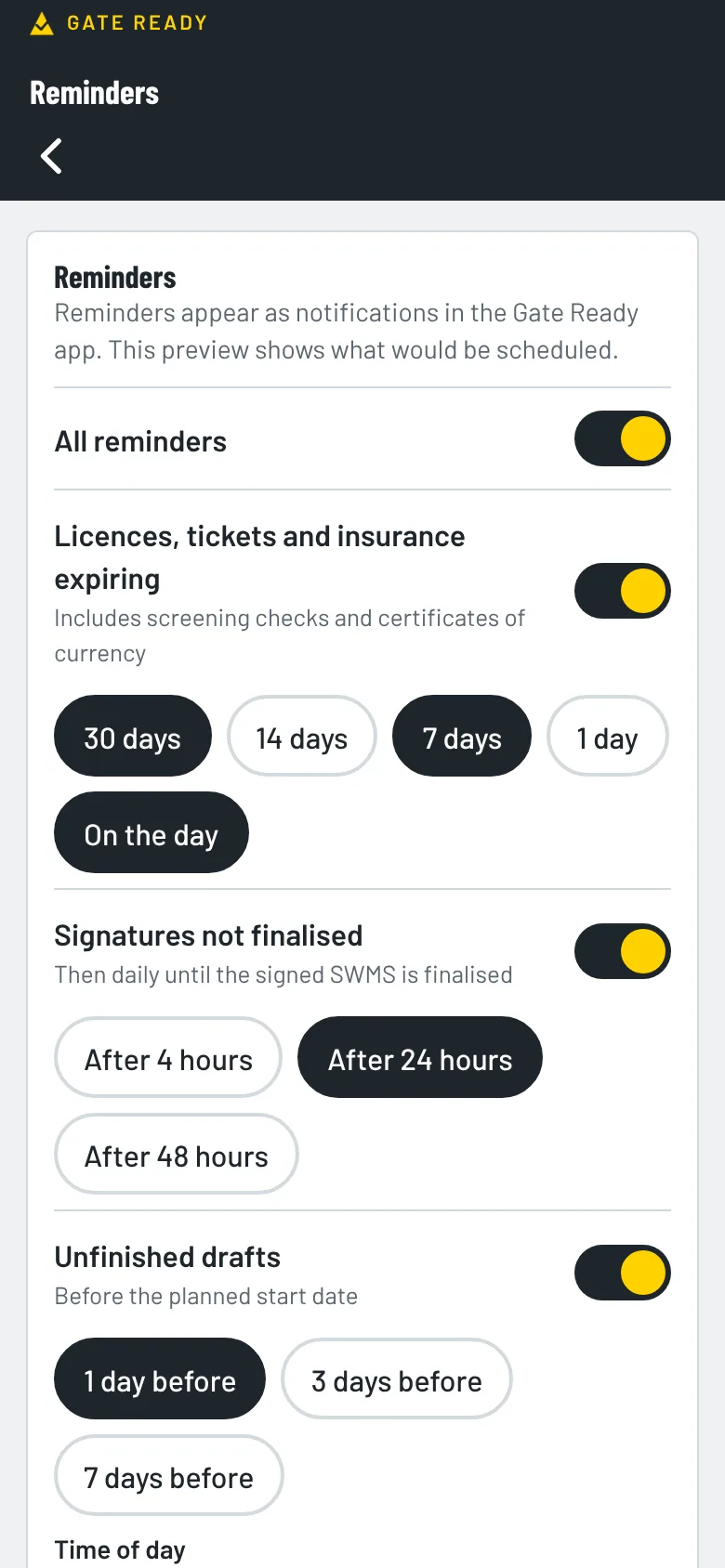
Gate Ready suggests silica training and a high risk work licence for concreting. Add the dates and it reminds you before they run out. Add your White Card and insurance too.

  • Silica training
  • High risk work licence
  • White Card
  • CPR
  • Insurance
Gate Ready reminders screen for licences, insurance and unfinished SWMS

How much does it cost?

Your first SWMS is free. Then you get a one-month free trial. After that it's $24.99 a month, GST included.

The App Store or Google Play bills you. You can cancel any time in your store account. Try the sample jobs first. They don't use your free SWMS.

Common questions from concreters

What pump controls does Gate Ready suggest?

It suggests controls like an exclusion zone around the boom and hose, outriggers fully out and keeping the boom clear of power lines. You tick the ones that fit the job and add your own.

Can I add silica controls for cutting concrete?

Yes. Wet cutting or on-tool extraction, clean-up and respirator controls are in the list. You choose the ones that fit the job.

Can I mark the pump and starter bars on my photos?

Yes. Add symbols such as exclusion zones and overhead power lines, then pin each photo to your site plan. They print with your SWMS.

Does it work when the signal drops?

Yes. You can draft, sign on and save the PDF without a signal.

What if I do paving or retaining walls too?

Pick every trade you do when you set up. The tasks, hazards and ticket suggestions for each one show up together.

More answers on the FAQ page. Not a concreter? Gate Ready covers more than 70 trades. See the full list.

Samples for other trades

Get Gate Ready for concreting work

Coming soon to the App Store and Google Play. Your first SWMS is free.

Download on the App StoreGet it on Google Play
Your first SWMS is freeGet the app