
Home / Trades / Electricians

Gate Ready for electricians

Write your electrical SWMS on your phone.

Start from a job you do every week, check the shock and arc flash controls, add photos of the board and get your crew to sign. Your first SWMS is free.

  • Suggested controls for shock, arc flash and live parts
  • Switchboard jobs include an asbestos check
  • Draft, sign on and save your PDF when the signal drops

Open the sample PDF (7 pages)

Download on the App StoreGet it on Google Play

Coming soon to the App Store and Google Play. Built for patchy reception.

Gate Ready is a drafting tool. It doesn't certify or check compliance, and you review every SWMS.

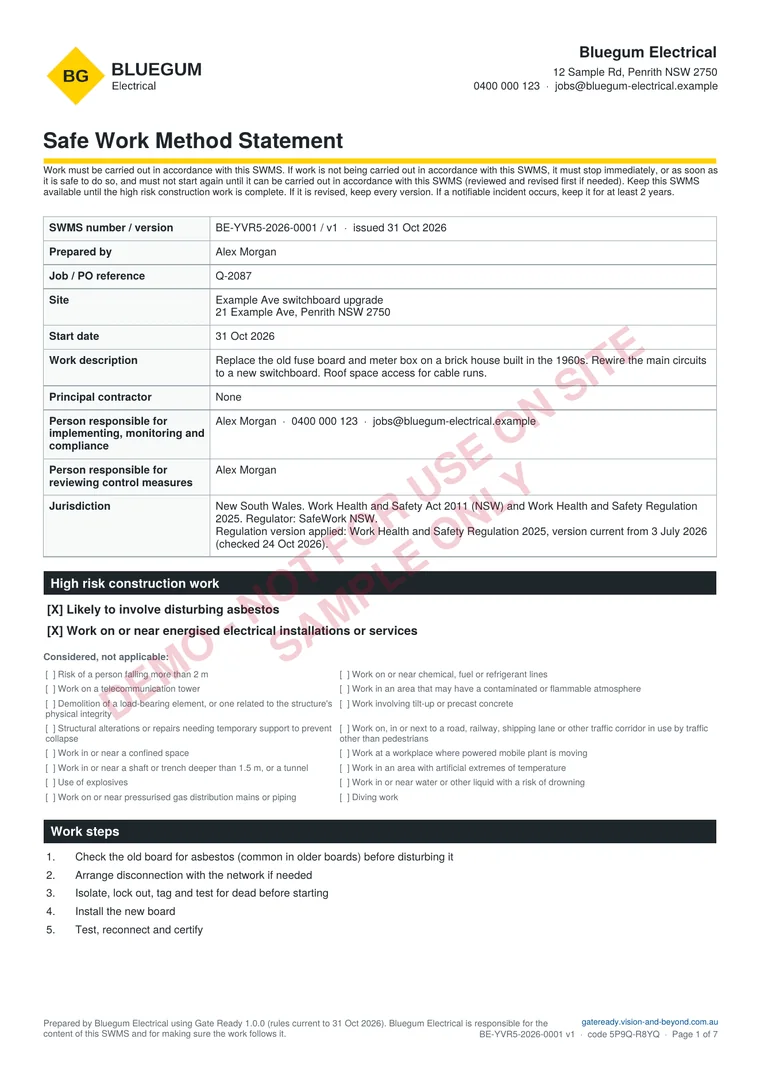
First page of a sample Gate Ready SWMS PDF for replacing a switchboard in New South Wales

Sample SWMS, page 1 of 7

Plan, photos and sign-on, all in one PDF

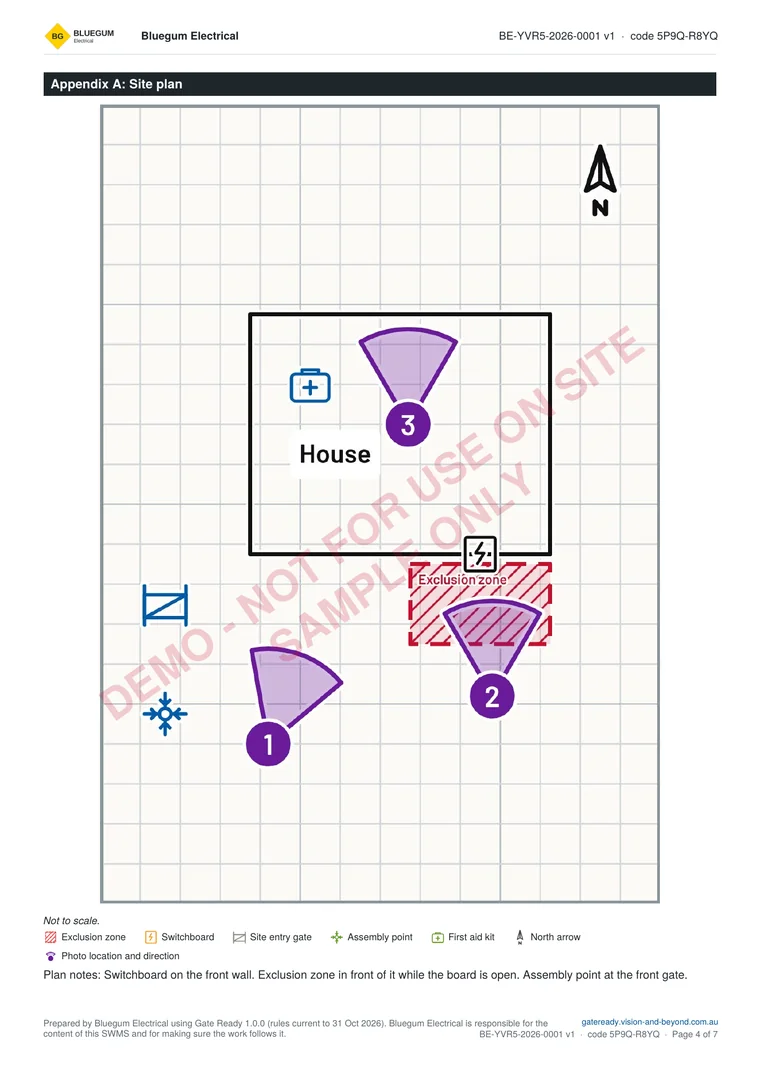
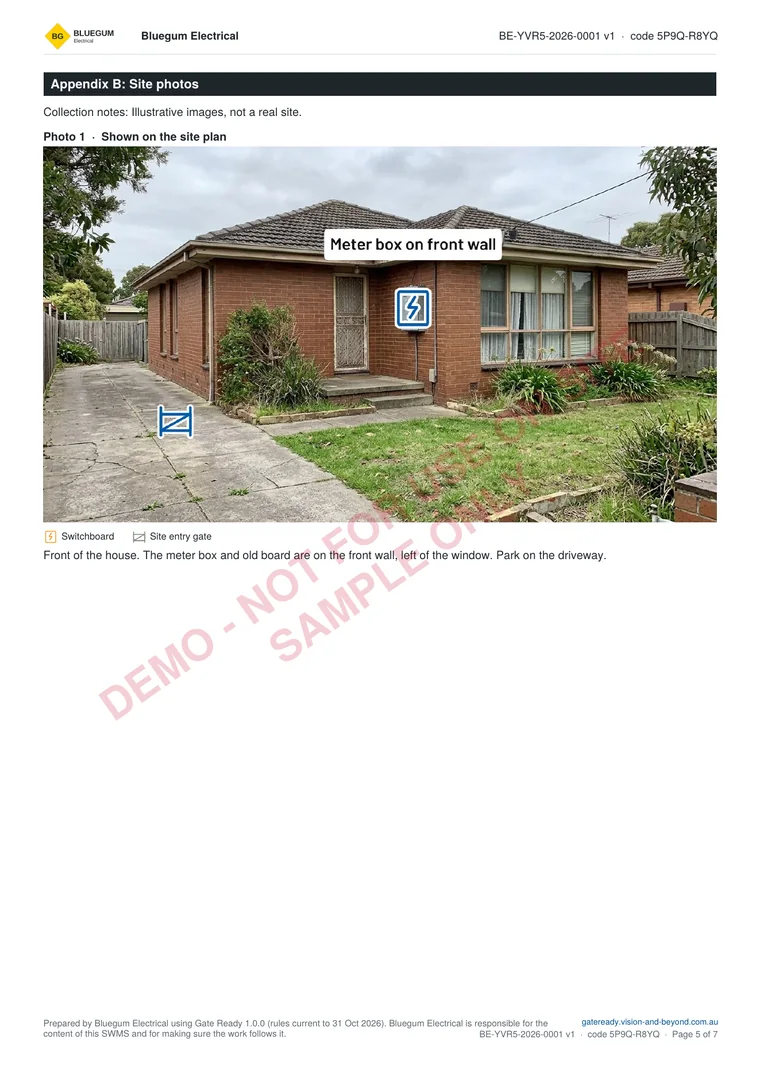
Page 1 is above. Here are the site plan and a marked-up photo page. The sample is for replacing an old switchboard in a 1960s house in New South Wales. It is for a fictional business and not for use on site. The photos are illustrations.

Open the sample PDF (7 pages) or see more samples

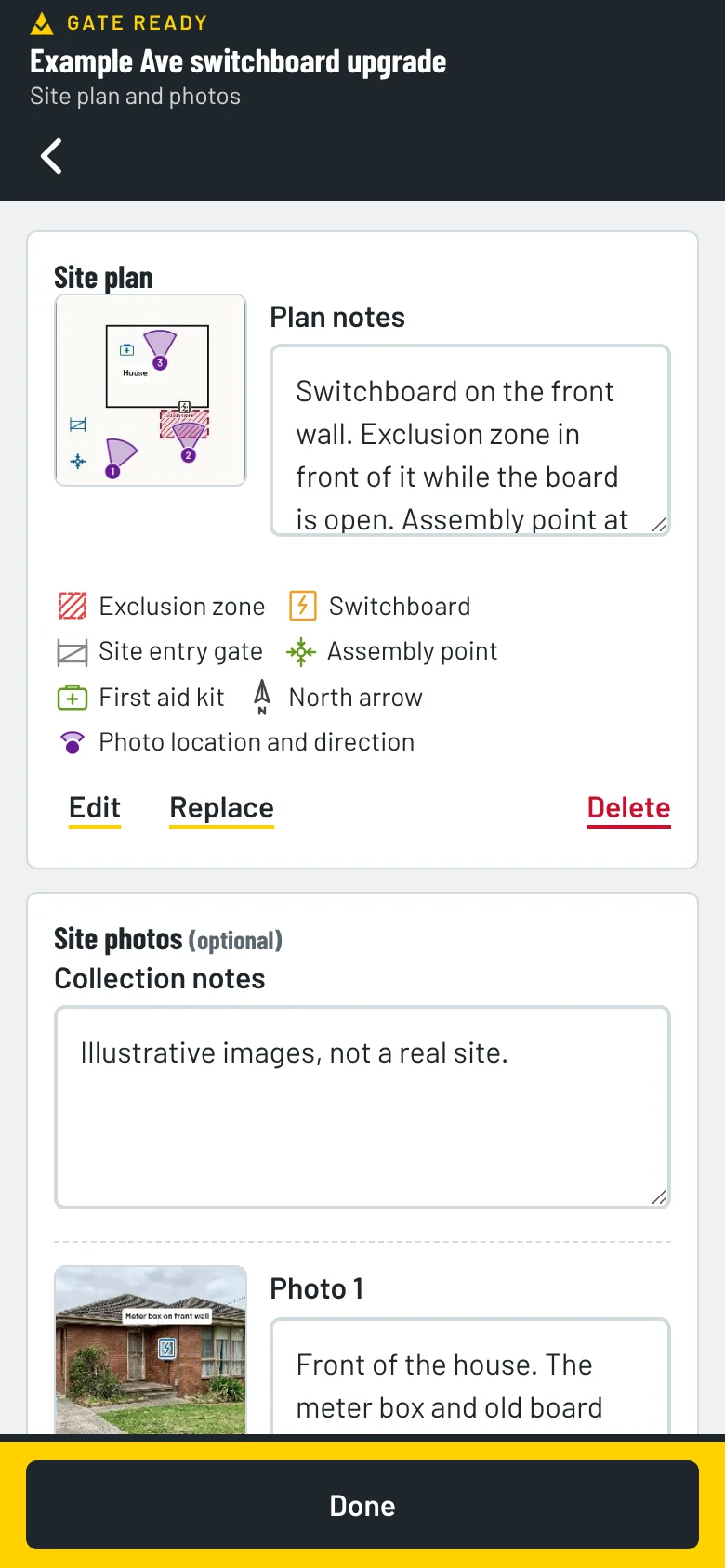
Appendix A of the sample SWMS: a site plan with an exclusion zone in front of the switchboard on the front wall and three photo pins showing where each photo was takenAppendix B of the sample SWMS: a marked-up photo of the front of a brick house with the meter box on the front wall labelled

Start from a job you actually do

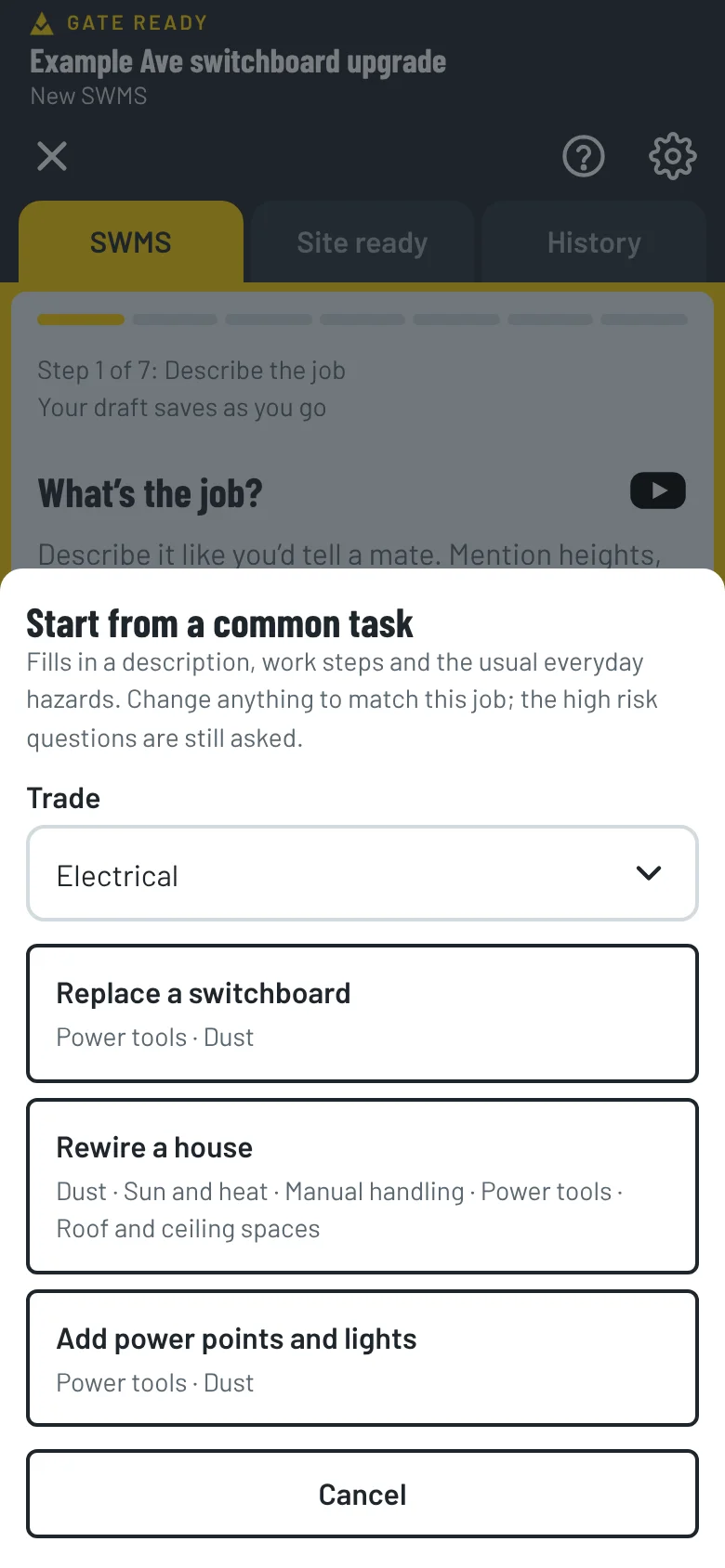
Pick Electrical when you set up the app and the common tasks match your work. Each one comes with the steps and hazards already suggested. You check and change them. “Certify” means your own certificate of compliance for the electrical work. Gate Ready doesn’t certify anything.

Replace a switchboard

Replace an old switchboard in a house built in the 1960s.

  1. Check the old board for asbestos (common in older boards) before disturbing it
  2. Arrange disconnection with the network if needed
  3. Isolate, lock out, tag and test for dead before starting
  4. Install the new board
  5. Test, reconnect and certify

Rewire a house

Rewire an existing house, running new wiring through the roof space and walls.

  1. Isolate, lock out, tag and test for dead
  2. Check the roof space for hazards and lay boards to walk on
  3. Run the new wiring
  4. Fit off, test and certify

Add power points and lights

Install new power points and downlights in an existing house.

  1. Isolate, lock out, tag and test for dead
  2. Cut in and run the new cables
  3. Install the fittings
  4. Test and certify

Do more than one kind of electrical work?

Pick every trade you do when you set up. Common tasks, hazards and ticket suggestions for each one show up together.

  • EV charger installation
  • Solar
  • Air conditioning
  • Data and communications cabling
  • Security and CCTV

Electrical hazards and controls, ready to check

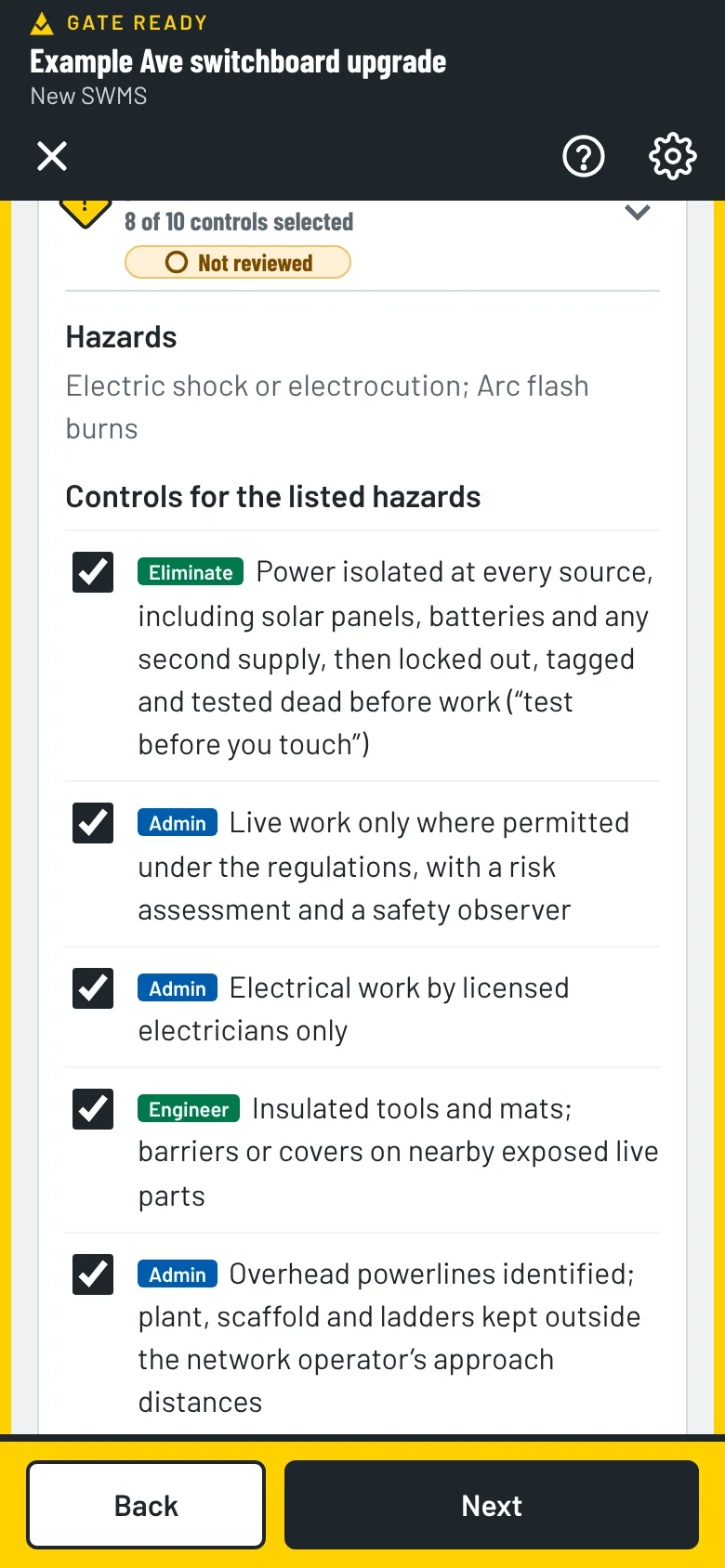
When you tell Gate Ready the job is on or near live (energised) parts, or you’re not sure, it adds the hazards (electric shock or electrocution, arc flash burns) and controls like these. Each one shows its type.

  • EliminatePower isolated at every source, including solar panels, batteries and any second supply, then locked out, tagged and tested dead before work (“test before you touch”)
  • AdminTape, cable ties or a switch left off are not a lockout: use a lock and a tag
  • AdminSolar DC cables treated as live even when the building’s power is off, with DC isolation planned so it can’t be switched back on
  • EngineerInsulated tools and mats; barriers or covers on nearby exposed live parts
  • AdminOverhead powerlines identified; plant, scaffold and ladders kept outside the network operator’s approach distances
  • AdminElectrical work by licensed electricians only

Live work (with a risk assessment and a safety observer) and arc-rated clothing are in the list too. They’re ticked if you say you’ll work on live parts, and unticked if you’re not sure. You decide whether they apply. Gate Ready suggests, you review.

Gate Ready hazards and controls screen with a list of controls to tick

Old board? Check for asbestos first.

Board jobs include a step to check the old board for asbestos before you disturb it. Gate Ready also asks when the building was built. Asbestos was banned in Australia from 31 December 2003, so anything built or renovated before 2004 may contain it.

Photograph the board before you touch it

Before you start, take a photo of the switchboard, meter box and roof space. Then mark them up with safety symbols such as exclusion zones, and pin each photo on a site plan to show where it was taken. They print with your SWMS. Photos stay on your phone. We can’t see them.

See all the features

Gate Ready site plan with three numbered photo pins and a list of the symbols used

Keep your electrical licence and tickets in one place

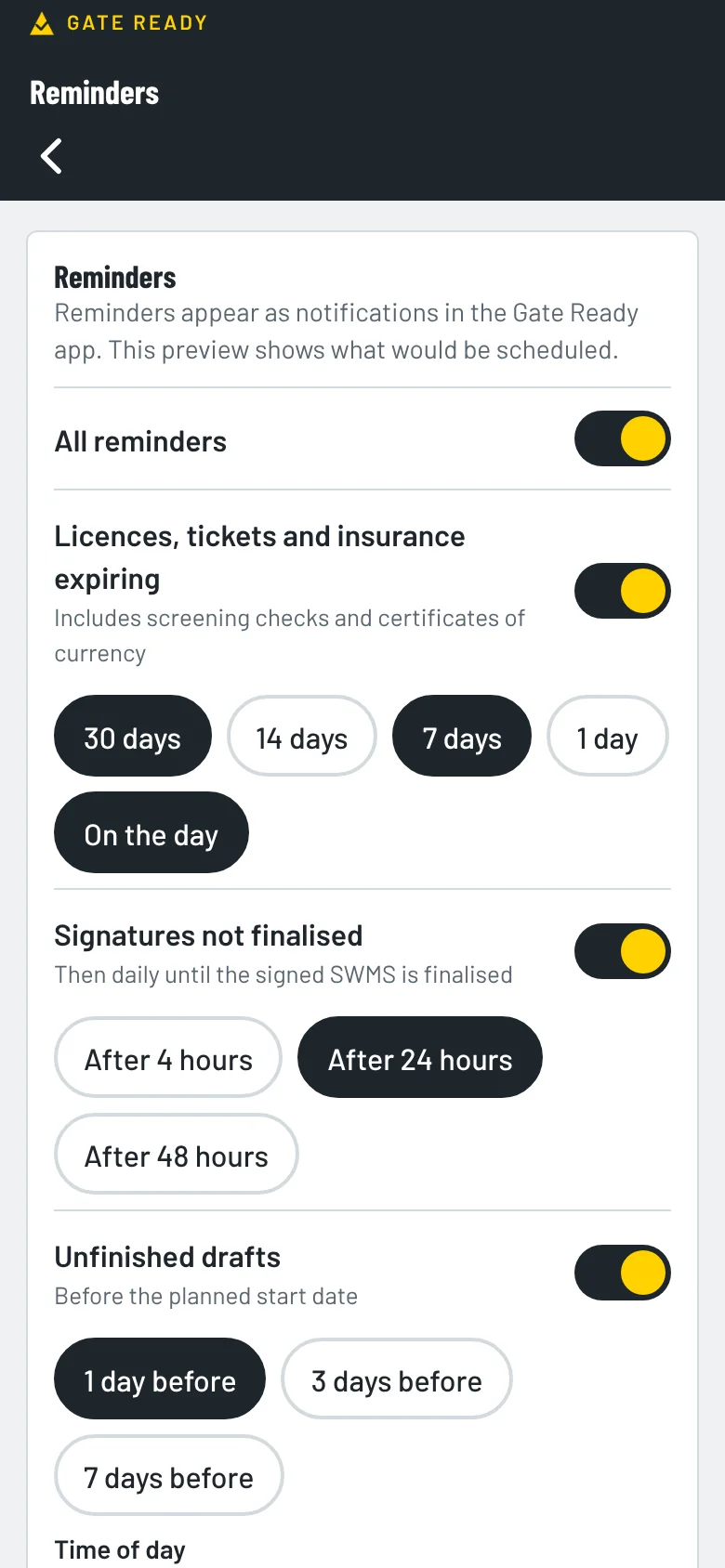
Gate Ready suggests the licence and training for your trade. Add the dates and it reminds you before they run out. Low voltage rescue and CPR are usually refreshed every year.

  • Electrical licence
  • Low voltage rescue (LVR)
  • CPR
  • Insurance
  • White Card
Gate Ready reminders screen for licences, insurance and unfinished SWMS

How much does it cost?

Your first SWMS is free. Then you get a one-month free trial. After that it's $24.99 a month, GST included.

The App Store or Google Play bills you. You can cancel any time in your store account. Try the sample jobs first. They don't use your free SWMS.

Common questions from electricians

What controls does Gate Ready suggest for live work?

It suggests controls like isolating, locking out, tagging and testing dead, and live work only where permitted, with a risk assessment and a safety observer. You tick the ones that fit the job and add your own.

Can I use it for EV chargers, solar and batteries?

Yes. Pick Electrical, EV charger installation, Solar and any other trades you do when you set up. Common tasks include a home EV charger, a car park EV install, solar panels and a home battery.

Does it work in a roof space or plant room with no signal?

Yes, for most of the job. Gate Ready is built for patchy reception. You can draft, sign on and save your PDF without a signal. It checks your subscription when it’s online. If it can’t check for 14 days, you can keep working on SWMS you’ve already started, but you can’t start a new one until it reconnects. Sending a copy needs a connection.

Where are my signed SWMS kept?

They stay on your phone. You export a PDF, and that exported copy is your record.

Does it cover my state?

Yes. It covers all eight Australian states and territories. Always check the result against your job, your site and your regulator.

What does it cost?

Your first SWMS is free. Then you get a one-month free trial. After that it’s $24.99 a month, GST included. The App Store or Google Play bills you, and you can cancel any time in your store account.

More answers on the FAQ page. Not an electrician? Gate Ready covers more than 70 trades. See the full list.

Samples for other trades

Get Gate Ready for electrical work

Coming soon to the App Store and Google Play. Your first SWMS is free.

Download on the App StoreGet it on Google Play
Your first SWMS is freeGet the app