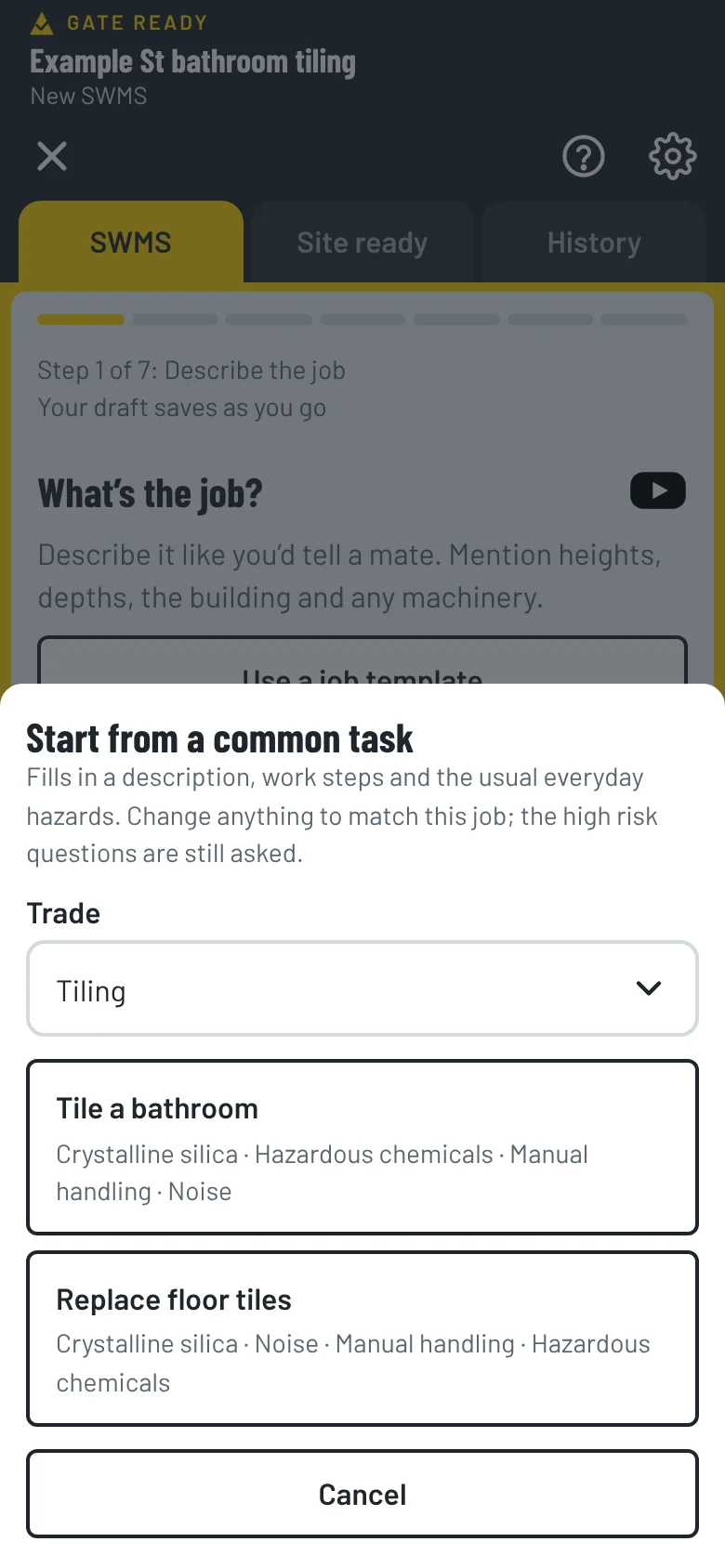
Tile a bathroom
Tile a bathroom floor and walls, cutting tiles with a wet saw.
- Check the waterproofing is complete
- Set up the wet saw outdoors or in a ventilated area
- Lay the tiles with adhesive
- Grout and clean the tiles
Gate Ready for tilers
Start from a job you do every week, check the silica dust, chemical and manual handling controls, add photos of the room and get your crew to sign. Your first SWMS is free.


Coming soon to the App Store and Google Play. Built for patchy reception.
Gate Ready is a drafting tool. It doesn't certify or check compliance, and you review every SWMS.
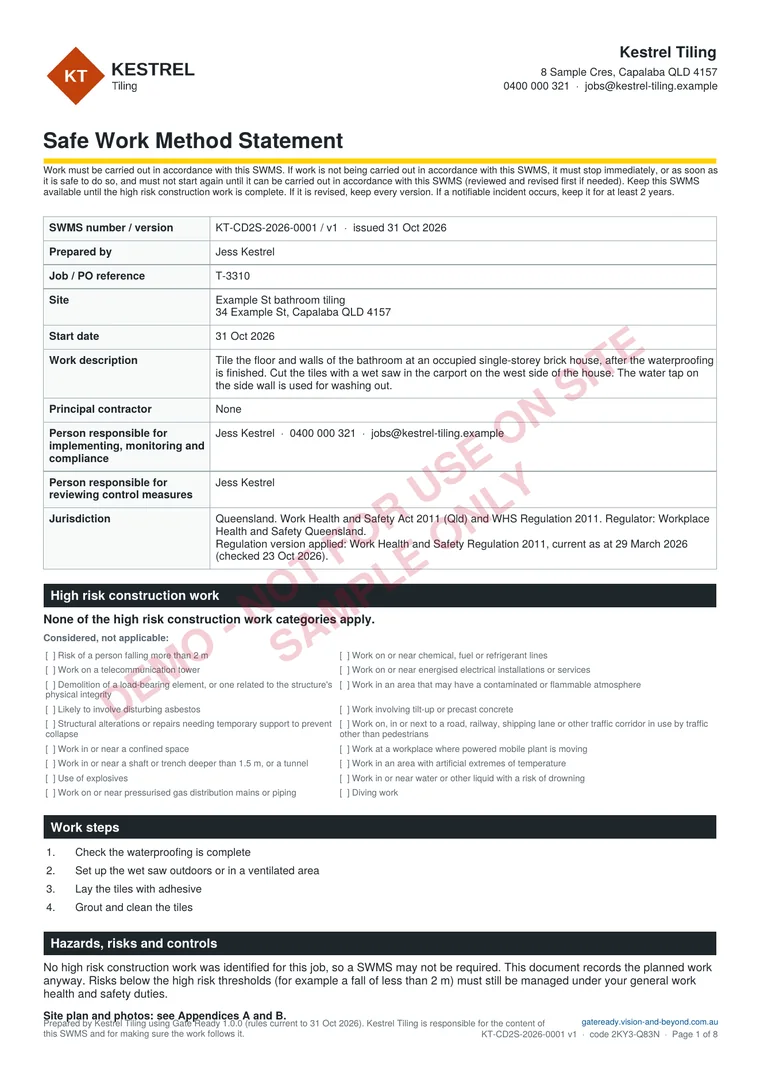
Sample SWMS, page 1 of 8
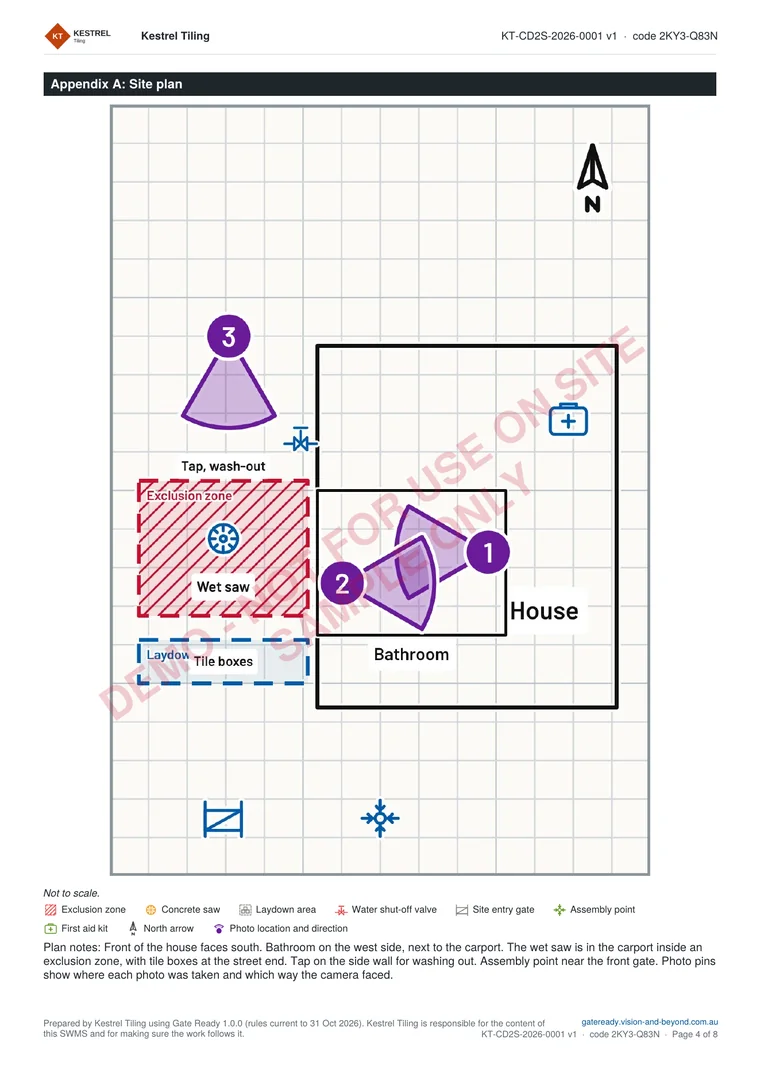
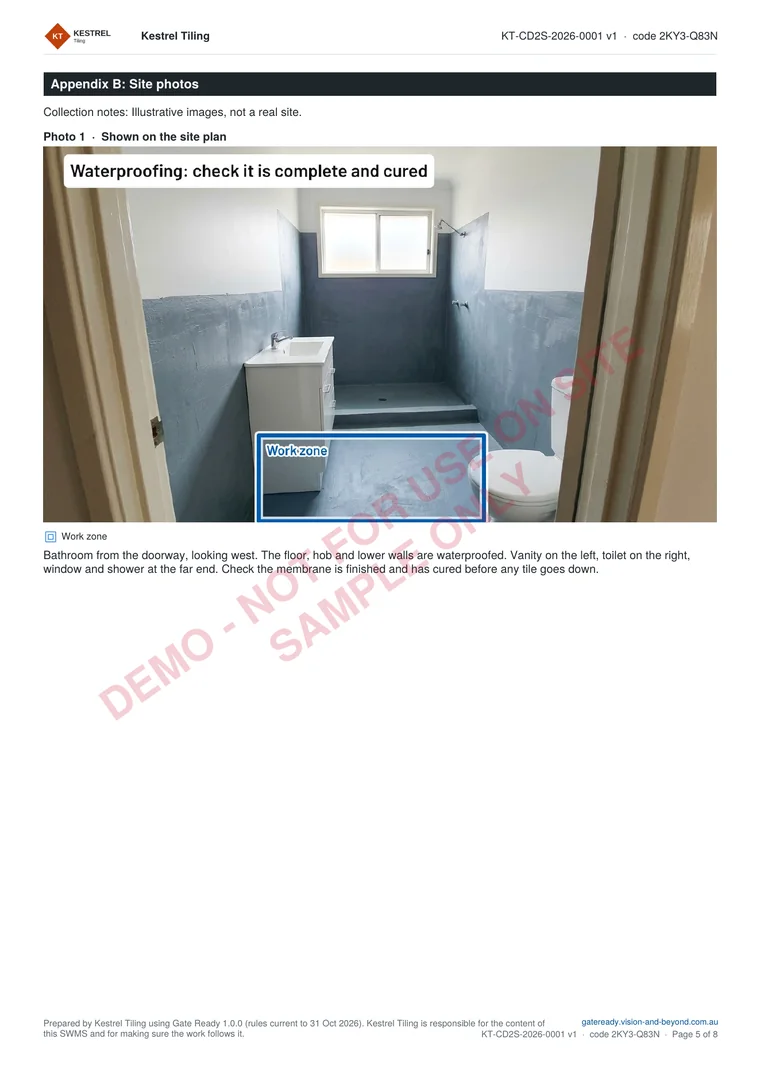
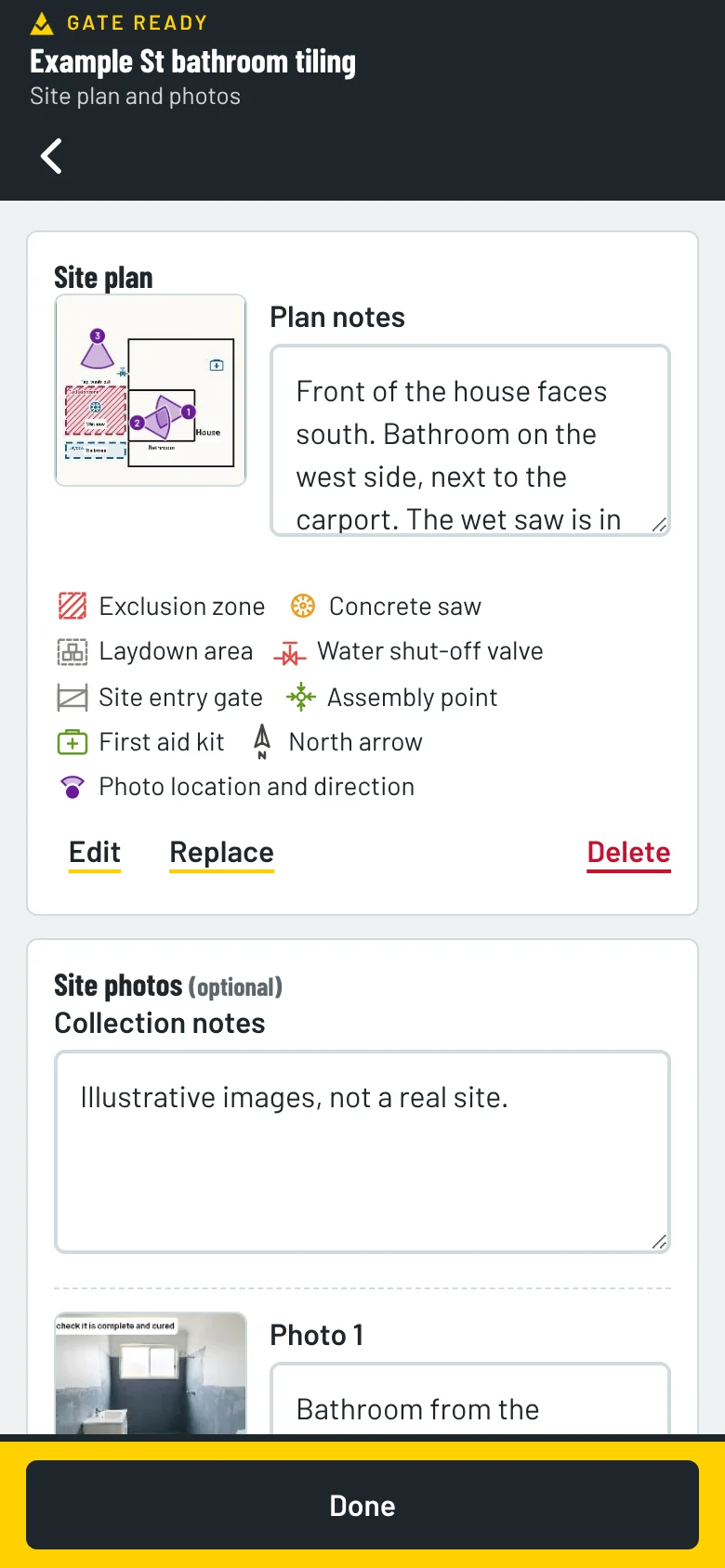
Page 1 is above. Here are the site plan and a marked-up photo page. The sample is for tiling a bathroom, with a wet saw in the carport, at a house in Queensland. It is for a fictional business and not for use on site. The photos are illustrations.
Pick Tiling when you set up the app and the common tasks match your work. Each one comes with the steps and hazards already suggested. You check and change them.
Tile a bathroom floor and walls, cutting tiles with a wet saw.
Remove old floor tiles and lay new tiles in an existing house.
Pick every trade you do when you set up. Common tasks, hazards and ticket suggestions for each one show up together.
When the job involves cutting tiles, Gate Ready adds the hazards (silica dust, chemicals, lifting and noise) and controls like these. Each one shows its type.
Noise, slips and trips are in the list too. You choose the ones that fit your job. Engineered stone benchtops, panels and slabs can no longer be processed or installed, and high risk silica work needs a written silica risk control plan before it starts, so check your regulator. Gate Ready suggests, you review.
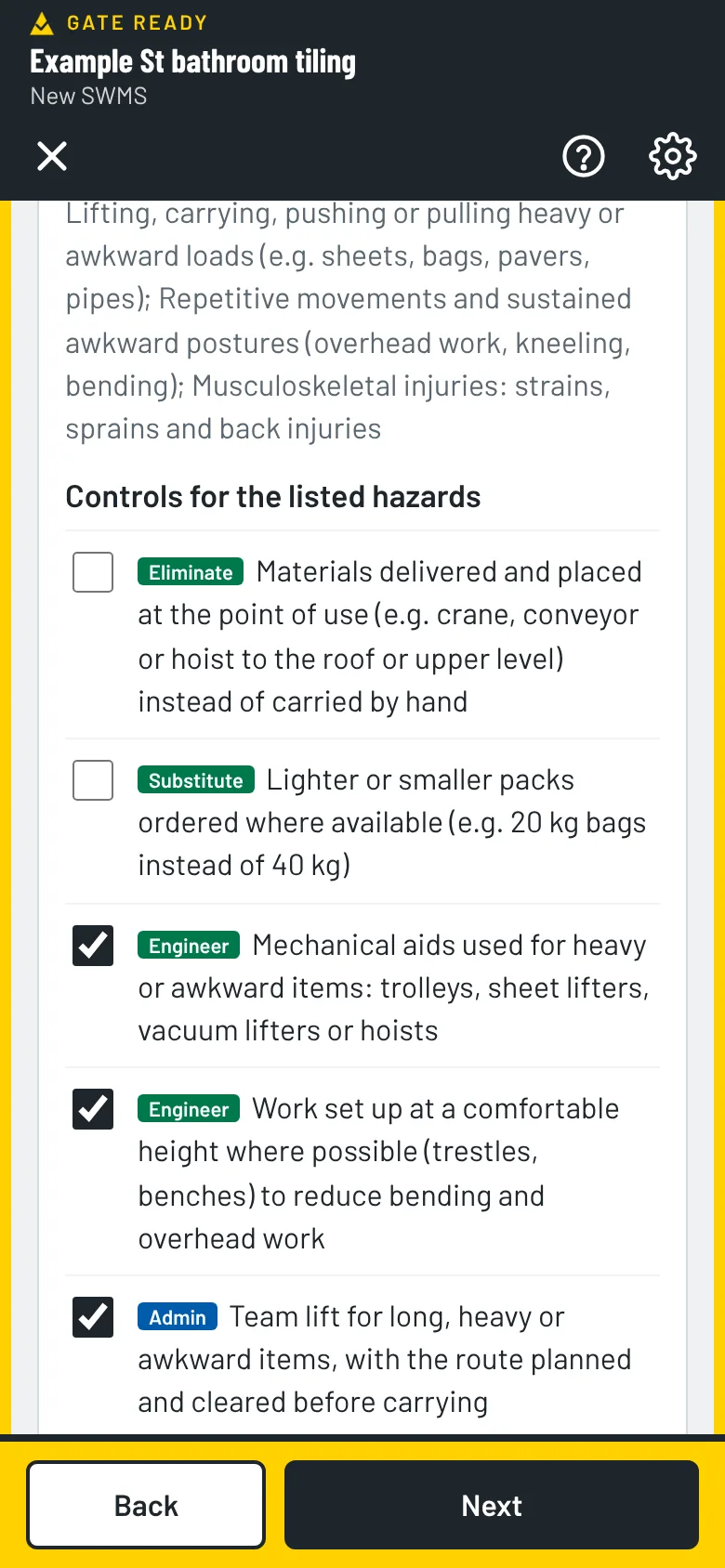
Cutting, grinding or drilling tile makes crystalline silica dust. Breathing it in can lead to silicosis, lung cancer and kidney disease years later. Gate Ready suggests wet cutting or on-tool extraction, a fitted P2 respirator and H-class vacuum clean-up. Check your regulator for the rules in your state.
Before you start, take photos of the room from the door and from the far end, and of the spot where the wet saw will go. Then mark up the exclusion zone, the saw station and the wash-out area, and pin each photo on a site plan to show where it was taken. They print with your SWMS. Photos stay on your phone. We can’t see them.
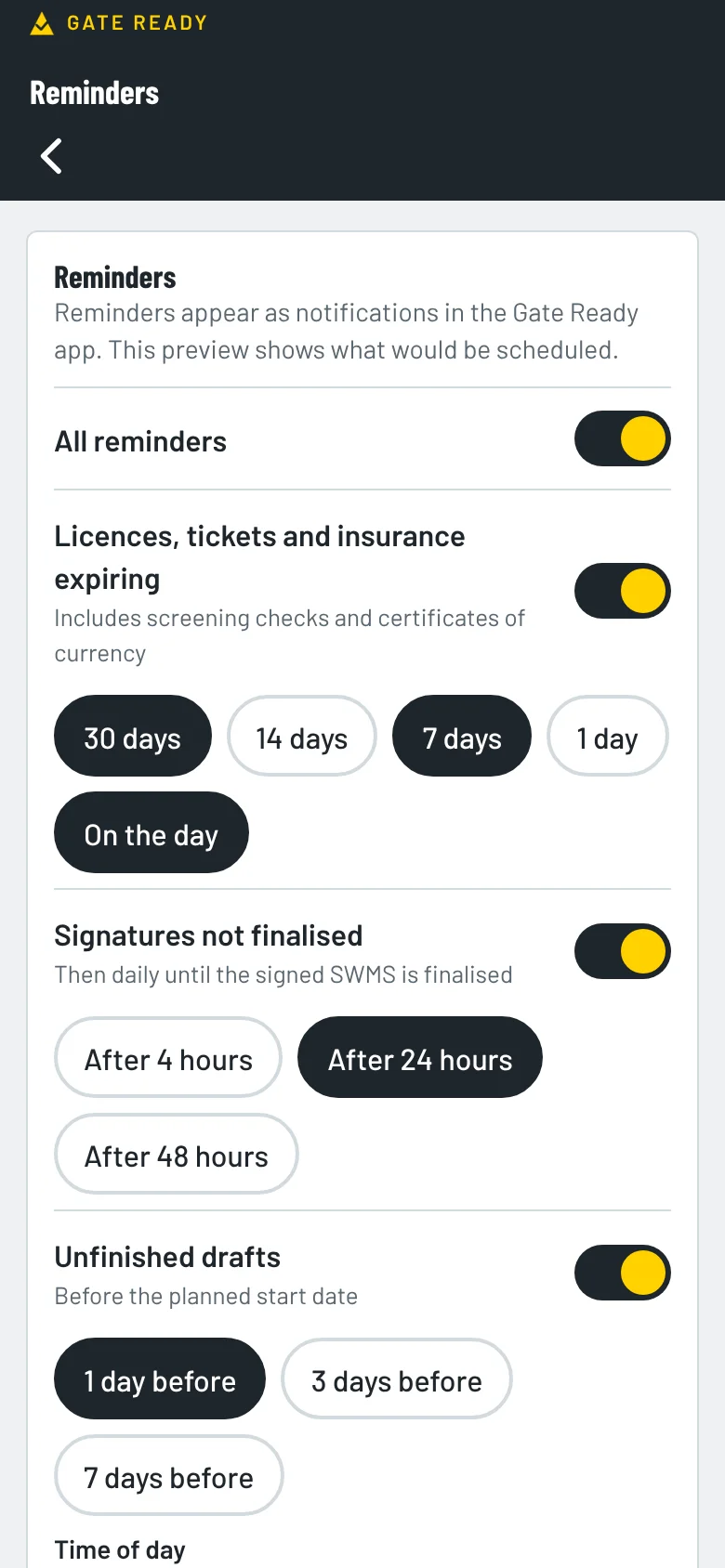
Add your silica training, White Card, licence and insurance details. Add the dates and Gate Ready reminds you before they run out.
Your first SWMS is free. Then you get a one-month free trial. After that it's $24.99 a month, GST included.
The App Store or Google Play bills you. You can cancel any time in your store account. Try the sample jobs first. They don't use your free SWMS.
It suggests wet cutting or on-tool dust extraction, keeping others away, H-class vacuum clean-up, training and a fitted P2 respirator. You tick the ones that fit the job and add your own.
Yes. Add symbols such as a saw, an exclusion zone and a laydown area, then pin each photo to your site plan. They print with your SWMS.
Yes. The Replace floor tiles task starts with checking the age of the house, because old tiles, adhesive or underlay may contain asbestos. Gate Ready asks the questions and suggests controls.
Yes. You can draft, sign on and save the PDF without a signal.
Pick every trade you do when you set up. The tasks, hazards and ticket suggestions for each one show up together.
More answers on the FAQ page. Not a tiler? Gate Ready covers more than 70 trades. See the full list.
Samples for other trades
Coming soon to the App Store and Google Play. Your first SWMS is free.